
Check SGBAU UG Revaluation Results Summer 2026 Online with Step-by-Step Guide
Loading contents...
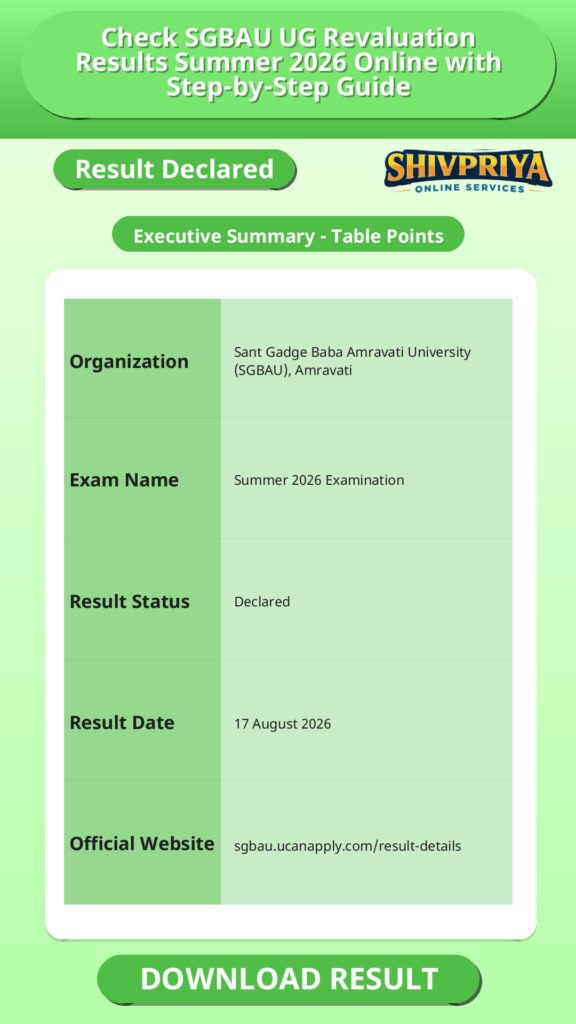
| Organization | Sant Gadge Baba Amravati University (SGBAU), Amravati |
|---|---|
| Exam Name | Summer 2026 Examination |
| Result Status | Declared |
| Result Date | 17 August 2026 |
| Official Website | sgbau.ucanapply.com/result-details |
Declared Results Details
इस section में SGBAU द्वारा घोषित Summer 2026 के Revaluation परिणामों की पूरी जानकारी दी गई है। उम्मीदवार यहां विभिन्न कोर्स और सेमेस्टर के रिजल्ट लिंक देख सकते हैं।
| Course | Semester | Result Type | Date Declared | Link |
|---|---|---|---|---|
| Bachelor of Science (B.Sc.) | First Semester (Sem 1) | Reval | 17/08/2026 | Click Here |
| Bachelor of Pharmacy (B.Pharm) | Third Semester (Sem 3) | Reval | 17/08/2026 | Click Here |
| Bachelor of Pharmacy (B.Pharm) | Fifth Semester (Sem 5) | Reval | 17/08/2026 | Click Here |
| Bachelor of Library and Information Science (BLIS) | First Semester (Sem 1) | Reval | 17/08/2026 | Click Here |
| Bachelor of Pharmacy (B.Pharm) | Seventh Semester (Sem 7) | Reval | 17/08/2026 | Click Here |
| Bachelor of Pharmacy (B.Pharm) | Sixth Semester (Sem 6) | Reval | 17/08/2026 | Click Here |
| Bachelor of Education (B.Ed) | First Semester (Sem 1) | Reval | 17/08/2026 | Click Here |
| Bachelor of Education (B.Ed) | Third Semester (Sem 3) | Reval | 17/08/2026 | Click Here |
How to Check Result
इस भाग में SGBAU की आधिकारिक वेबसाइट पर Summer 2026 के परिणाम ऑनलाइन चेक करने के आसान स्टेप्स दिए गए हैं। उम्मीदवार इन स्टेप्स को ध्यानपूर्वक फॉलो करें।
Based on the search fields available on the official SGBAU result portal, students can follow these steps to check their result:
- Visit the official SGBAU result portal at sgbau.ucanapply.com/result-details.
- Select the Session – choose “Summer 2026”.
- Select the Course Type – UG, PG, or PhD.
- Select your Course from the dropdown (e.g., B.Sc., B.Pharm, B.Ed, BLIS).
- Select the Result Type – Regular, Back, Reval, or EVS.
- Enter your Roll Number.
- Select the correct Semester.
- Click on Search Result to view your result.
Important Instructions
इस section में उम्मीदवारों के लिए जरूरी निर्देश दिए गए हैं जिनका परिणाम जांचते समय ध्यान रखना आवश्यक है।
- Students whose result is shown as W/N (Withheld/Not declared) are required to contact their respective college for further details.
- Always cross-check your result details with your college examination department if any discrepancy appears.
Important Links
यहां SGBAU UG Summer 2026 रिजल्ट चेक करने के लिए जरूरी लिंक उपलब्ध हैं।
SGBAU Result FAQs
यह section उम्मीदवारों के सामान्य प्रश्नों के उत्तर प्रदान करता है जो SGBAU Summer 2026 रिवैल्यूएशन परिणाम से संबंधित हैं।
- Q1. When was the SGBAU Summer 2026 revaluation result declared?
The SGBAU Summer 2026 revaluation results for B.Sc. (Sem 1), B.Pharm (Sem 3, 5, 6, 7), BLIS (Sem 1), and B.Ed (Sem 1, 3) were declared on 17 August 2026. - Q2. How can I check my SGBAU result online?
You can check your result on the official SGBAU result portal at sgbau.ucanapply.com/result-details by selecting your session, course type, course, result type, roll number, and semester. - Q3. What does W/N mean in the SGBAU result?
W/N means the result is withheld or not declared for that student. Students with this status must contact their respective college for further information. - Q4. Is the SGBAU result declared for regular, back, and reval categories separately?
Yes. The SGBAU portal allows students to filter results by four result types: Regular, Back, Reval, and EVS. - Q5. Where can I find the SGBAU B.Pharm Semester 3, 5, 6, and 7 reval result?
The B.Pharm reval results for Semesters 3, 5, 6, and 7 were declared on 17 August 2026 and are available on the official SGBAU result portal.
Next Stage Guidance
यहाँ उम्मीदवारों को परिणाम के बाद आगे की प्रक्रिया और जरूरी कदमों की जानकारी दी गई है जिससे वे सही दिशा में आगे बढ़ सकें।
- परिणाम जारी होने के बाद, यदि आपका परिणाम W/N दिख रहा है तो तुरंत अपने कॉलेज से संपर्क करें।
- अगले सेमेस्टर या परीक्षा के लिए आवेदन प्रक्रिया और समय सीमा की जानकारी के लिए विश्वविद्यालय की वेबसाइट देखें।
- रिवैल्यूएशन परिणाम में सुधार न होने पर पुनः आवेदन या अन्य विकल्पों के बारे में कॉलेज से सलाह लें।
- परिणाम की प्रिंटआउट लेकर भविष्य के लिए सुरक्षित रखें।
Document Verification Tips
परिणाम के बाद Document Verification की प्रक्रिया महत्वपूर्ण होती है। यहां कुछ टिप्स दिए गए हैं जो इस प्रक्रिया में मदद करेंगे।
- अपने सभी शैक्षणिक दस्तावेज जैसे मार्कशीट, पहचान पत्र, रजिस्ट्रेशन प्रमाणपत्र आदि साथ लेकर जाएं।
- डॉक्यूमेंट वेरिफिकेशन के लिए निर्धारित समय और स्थान का ध्यान रखें।
- यदि कोई त्रुटि या विवाद हो तो तुरंत संबंधित अधिकारी से संपर्क करें।
- डॉक्यूमेंट्स की फोटोकॉपी और मूल दस्तावेज साथ लेकर जाएं।
Common Result Mistakes
परिणाम जांचते समय उम्मीदवारों द्वारा होने वाली सामान्य गलतियों से बचने के लिए यह सेक्शन मददगार है।
- रोल नंबर गलत दर्ज करना जिससे परिणाम नहीं दिखता।
- गलत सेमेस्टर या कोर्स का चयन करना।
- परिणाम की पुष्टि किए बिना उसे अंतिम मान लेना।
- W/N स्थिति को समझे बिना परिणाम को गलत समझना।
- परिणाम पोर्टल पर लॉग इन करते समय इंटरनेट कनेक्शन की समस्या।
Related Categories
Disclaimer
Yeh job post sirf informational purpose ke liye banayi gayi hai taaki aapko recruitment ki details simple aur samajhne layak format me mil sake.
Time ke saath details me changes ho sakte hain (jaise dates, vacancies, eligibility, etc.). Isliye apply karne se pehle official notification ko zarur verify karein.
Hum kisi bhi typing error, outdated information ya misunderstanding ke liye zimmedar nahi honge.