
Comprehensive Guide to SGBAU Summer 2026 Exam Results and Checking Process
Loading contents...
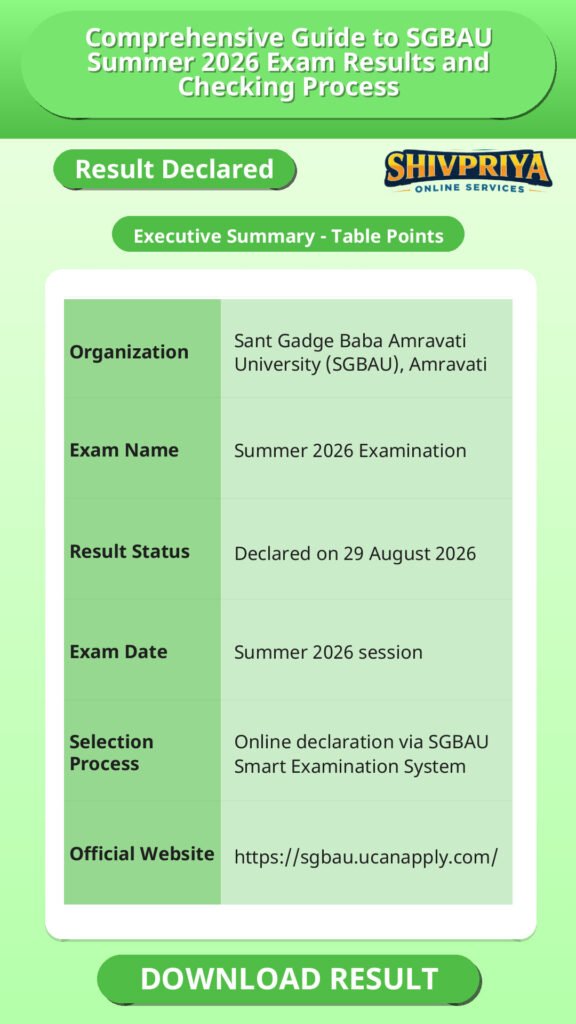
| Organization | Sant Gadge Baba Amravati University (SGBAU), Amravati |
|---|---|
| Exam Name | Summer 2026 Examination |
| Result Status | Declared on 29 August 2026 |
| Exam Date | Summer 2026 session |
| Selection Process | Online declaration via SGBAU Smart Examination System |
| Official Website | https://sgbau.ucanapply.com/ |
SGBAU Results Declared on 29 August 2026
इस section में SGBAU द्वारा 29 अगस्त 2026 को घोषित किए गए विभिन्न पाठ्यक्रमों के परिणामों की जानकारी दी गई है।
| Course | Semester | Result Type | Result Date | Link |
|---|---|---|---|---|
| Bachelor of Textile Engineering NEP | Fourth Semester (Sem 4) | Regular | 29/08/2026 | https://sgbau.ucanapply.com/result-details |
| B.E. First Year (NEP) | Second Semester (Sem 2) | Regular | 29/08/2026 | https://sgbau.ucanapply.com/result-details |
| B.E. First Year (NEP) | First Semester (Sem 1) | Back | 29/08/2026 | https://sgbau.ucanapply.com/result-details |
| B.E. First Year (NEP) | Second Semester (Sem 2) | Back | 29/08/2026 | https://sgbau.ucanapply.com/result-details |
How to Check SGBAU Result 2026 Online
इस section में SGBAU Summer 2026 के परिणाम ऑनलाइन कैसे जांचें, इसकी विस्तृत प्रक्रिया दी गई है।
Based on the search fields available on the official SGBAU result portal, students can check their result by following these steps:
- Visit the official SGBAU result page: https://sgbau.ucanapply.com/result-details.
- Select the Session (for example, “Summer 2026”).
- Select the Course Type – UG, PG, or PHD.
- Select your specific Course from the dropdown (for example, “Bachelor of Textile Engineering NEP” or “B.E. First Year (NEP)”).
- Select the Result Type – Regular, Back, Reval, or EVS.
- Enter your Roll Number.
- Select the correct Semester.
- Click Search Result to view your result.
Important Instructions
इस section में SGBAU परिणाम जांचने के दौरान ध्यान रखने योग्य महत्वपूर्ण निर्देश दिए गए हैं।
- The official portal notes: students whose result is shown as “W/N” are requested to contact their respective college.
- Make sure you select the correct session (Summer 2026), course, result type (Regular/Back), and semester before searching, as selecting the wrong combination will not return your result.
- Details such as marksheet download procedure, revaluation timelines, and grievance-redressal contact information are not mentioned on the result search page itself – students needing this information should check with their respective college or SGBAU’s examination department directly.
SGBAU Result 2026 – Important Links
इस section में SGBAU Summer 2026 परिणाम से संबंधित सभी महत्वपूर्ण लिंक उपलब्ध कराए गए हैं।
- Direct Link to Check SGBAU B.Tech & BE Result 2026: https://sgbau.ucanapply.com/result-details
- SGBAU Official Website: https://sgbau.ucanapply.com/
FAQ
Q1. When was the SGBAU BE First Year (NEP) Semester 2 Regular result declared?
According to the official result page, it was declared on 29 August 2026.
Q2. Has the SGBAU Bachelor of Textile Engineering NEP Semester 4 result been declared?
Yes. The official portal shows this result as declared on 29 August 2026 under the Regular category.
Q3. Is the SGBAU BE First Year (NEP) Semester 1 Back result out?
Yes, it was declared on 29 August 2026, as shown on the official result page.
Q4. How do I check my SGBAU Summer 2026 result?
Go to the official result portal, select your session, course type, course, result type, roll number, and semester, then click Search Result. The exact steps are listed in the “How to Check SGBAU Result 2026 Online” section above.
Q5. What should I do if my SGBAU result shows “W/N”?
The official portal instructs students with a “W/N” result status to contact their respective college directly.
इस section में SGBAU Summer 2026 परिणामों से जुड़े आम प्रश्न और उनके उत्तर दिए गए हैं।
Next Stage Guidance
इस section में परिणाम के बाद उम्मीदवारों के लिए आगे की प्रक्रिया और तैयारी के महत्वपूर्ण सुझाव दिए गए हैं।
- परिणाम घोषित होने के बाद उम्मीदवारों को अपने संबंधित कॉलेज से संपर्क कर आगे की प्रक्रिया जैसे प्रवेश, पुनर्मूल्यांकन या दस्तावेज सत्यापन की जानकारी प्राप्त करनी चाहिए।
- सुनिश्चित करें कि आपने सही से अपने दस्तावेज तैयार कर लिए हैं ताकि Document Verification में कोई समस्या न आए।
- यदि परिणाम में कोई त्रुटि या असमंजस हो तो संबंधित विभाग से तुरंत संपर्क करें।
Document Verification Tips
Document Verification की प्रक्रिया को सफलतापूर्वक पूरा करने के लिए यह सुझाव मददगार होंगे।
- अपने मूल शैक्षणिक प्रमाणपत्र और पहचान पत्र साथ लेकर जाएं।
- कॉलेज द्वारा दिए गए दस्तावेज़ों की सूची को ध्यान पूर्वक पढ़ें और सभी आवश्यक दस्तावेज़ समय पर जमा करें।
- यदि कोई दस्तावेज अपूर्ण या गलत है तो उसे तुरंत सुधारें ताकि Verification में देरी न हो।
Common Result Mistakes
परिणाम जांचते समय आम गलतियों से बचने के लिए यह सावधानियां आवश्यक हैं।
- गलत Session, Course Type, या Semester चुनना जिससे परिणाम न दिखे।
- अपना Roll Number सही न डालना।
- Result Type (Regular/Back) को सही न चुनना।
- परिणाम में “W/N” या अन्य असमंजस स्थिति दिखने पर कॉलेज से संपर्क न करना।
Disclaimer
Yeh job post sirf informational purpose ke liye banayi gayi hai taaki aapko recruitment ki details simple aur samajhne layak format me mil sake.
Time ke saath details me changes ho sakte hain (jaise dates, vacancies, eligibility, etc.). Isliye apply karne se pehle official notification ko zarur verify karein.
Hum kisi bhi typing error, outdated information ya misunderstanding ke liye zimmedar nahi honge.