
Tripura University MA & IMD Result 2026 Out – Check 4th & 8th Sem Result Online at tripurauniv.ac.in
Loading contents...
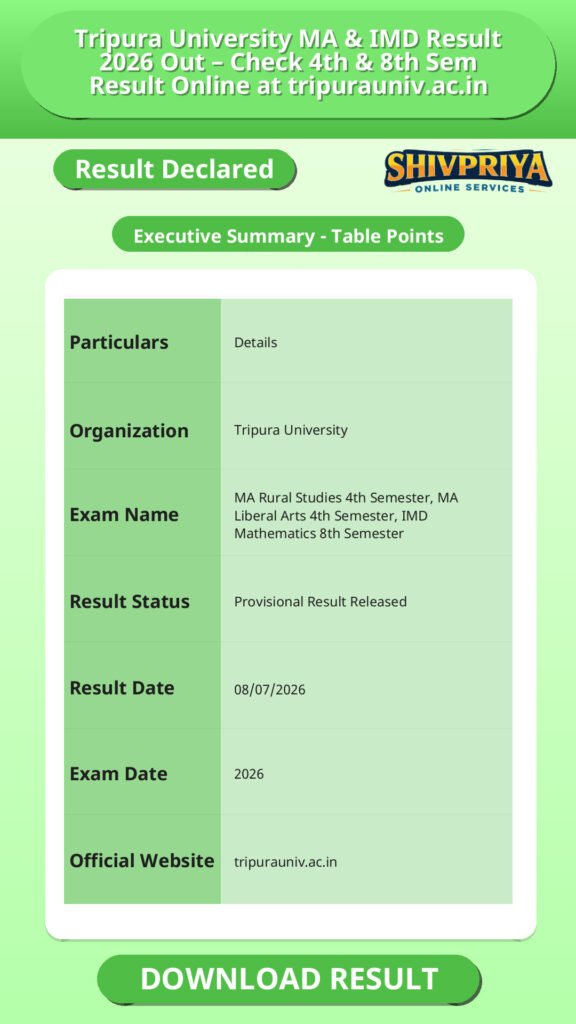
| Particulars | Details |
|---|---|
| Organization | Tripura University |
| Exam Name | MA Rural Studies 4th Semester, MA Liberal Arts 4th Semester, IMD Mathematics 8th Semester |
| Result Status | Provisional Result Released |
| Result Date | 08/07/2026 |
| Exam Date | 2026 |
| Official Website | tripurauniv.ac.in |
Result Details
इस सेक्शन में Tripura University के प्रोविजनल रिजल्ट की पूरी जानकारी उपलब्ध है। उम्मीदवार अपना रिजल्ट डाउनलोड करने से पहले इस जानकारी को ध्यान से पढ़ें।
Tripura University ने 08/07/2026 को निम्नलिखित परीक्षाओं के प्रोविजनल रिजल्ट जारी किए हैं:
- Provisional Result of M.A Rural Studies 4th Semester Examination-2026
- Provisional Result of M.A Liberal Arts 4th Semester Examination-2026
- Provisional Result of IMD Mathematics 8th Semester Examination-2026
ये परिणाम विश्वविद्यालय के केंद्रीय रिजल्ट पेज पर कोर्स वाइज लिंक के रूप में उपलब्ध हैं, जहां छात्र PDF या व्यू विकल्प के माध्यम से अपना रिजल्ट देख सकते हैं।
Result Status and Important Dates
इस सेक्शन में Result की वर्तमान स्थिति और महत्वपूर्ण तारीखें दी गई हैं। उम्मीदवार रिजल्ट से जुड़ी तारीखों को नोट करें।
Tripura University का रिजल्ट अभी प्रोविजनल है। इसका उपयोग केवल अकादमिक प्रगति के संदर्भ में करें। किसी भी नाम, नामांकन संख्या या अंक में गलती पाए जाने पर तुरंत परीक्षा शाखा से संपर्क करें।
| Event | Date |
|---|---|
| Examination Conducted | 2026 |
| Provisional Result Declared | 08/07/2026 |
How To Check Result
इस सेक्शन में Tripura University के रिजल्ट को ऑनलाइन चेक करने के आसान स्टेप्स दिए गए हैं। उम्मीदवार बिना किसी समस्या के अपने रिजल्ट डाउनलोड कर सकते हैं।
- Visit the official website of Tripura University: tripurauniv.ac.in
- Go to the Results or University Results section on the homepage, or directly open tripurauniv.ac.in/result/university-results
- From the list of released results, locate your relevant link:
- Provisional Result of M.A Rural Studies 4th Semester Examination-2026
- Provisional Result of M.A Liberal Arts 4th Semester Examination-2026
- Provisional Result of IMD Mathematics 8th Semester Examination-2026
- Click on the respective link to open the result PDF or view option
- Use Ctrl+F to search your Roll Number or Name within the PDF, or enter your Roll/Registration Number if an online marksheet option is provided
- Check your result, marks, and status
- Download and save or print a copy for future reference
Details on Result Sheet
इस सेक्शन में रिजल्ट शीट में शामिल महत्वपूर्ण विवरणों की सूची दी गई है। उम्मीदवार रिजल्ट में इन जानकारियों की पुष्टि करें।
- Student’s Name
- Roll Number / Enrolment Number
- Registration Number
- Course/Programme Name
- Semester
- Subject-wise Marks
- Total Marks Obtained
- Grade/CGPA (if applicable)
- Pass/Fail Status
- Remarks (if any)
Post Result Guidelines
यह सेक्शन रिजल्ट देखने के बाद उम्मीदवारों के लिए महत्वपूर्ण निर्देश प्रदान करता है। उम्मीदवार आगे की प्रक्रिया के लिए यहाँ दिये गए सुझावों का पालन करें।
- Download and save a copy of the provisional result/marksheet immediately, as online results may not remain accessible indefinitely.
- Cross-check all details, including your name, roll number, enrolment number, and marks, for any errors.
- Report discrepancies to the university examination branch or your respective department without delay if you notice any mismatch.
- Apply for revaluation/rechecking, if required, within the timeline specified by the university.
- Wait for the final marksheet, since the current result is only provisional; use it for reference purposes until the original marksheet is issued.
- Plan for the next semester or, if applicable, explore further academic or exit options based on your result.
Important Instructions
इस सेक्शन में रिजल्ट से जुड़ी महत्वपूर्ण सूचनाएँ दी गई हैं जिन्हें सभी उम्मीदवारों को ध्यान में रखना चाहिए।
- The released results are provisional and not equivalent to the original marksheet.
- Students must verify their details carefully upon accessing the result.
- Any discrepancy should be reported to the university examination department at the earliest.
- Keep your Roll Number/Registration Number handy while checking the result.
- Save a downloaded/printed copy of the result for academic and administrative purposes.
- For any official confirmation or grievance, contact the Tripura University examination branch directly rather than relying on third-party sources.
Important Links
नीचे Tripura University की आधिकारिक वेबसाइट और रिजल्ट पोर्टल के लिंक दिए गए हैं। उम्मीदवार सीधे यहाँ से रिजल्ट चेक कर सकते हैं।
FAQs
इस सेक्शन में उम्मीदवारों द्वारा अक्सर पूछे जाने वाले प्रश्न और उनके उत्तर दिए गए हैं। यदि आपकी कोई शंका हो तो यहाँ से समाधान प्राप्त करें।
- Q1. When was the Tripura University Result 2026 released?
- Tripura University Result 2026 for M.A Rural Studies 4th Semester, M.A Liberal Arts 4th Semester, and IMD Mathematics 8th Semester Examination was released on 08/07/2026.
- Q2. Where can I check the Tripura University Result 2026?
- The result can be checked on the official website, tripurauniv.ac.in, under the University Results section.
- Q3. Is the released result final or provisional?
- The released result is a provisional result. Students should wait for the official final marksheet from the university.
- Q4. What details do I need to check my result?
- You generally need your Roll Number, Enrolment Number, or Registration Number, depending on the format in which the result is published (PDF list or online marksheet lookup).
- Q5. What should I do if there is an error in my result?
- Contact the Tripura University examination branch or your department immediately to raise a correction request.
Next Stage Guidance
रिजल्ट देखने के बाद उम्मीदवारों को आगे की प्रक्रिया के लिए सही दिशा निर्देशों का पालन करना आवश्यक है। नीचे कुछ सुझाव दिए गए हैं जो आपकी मदद करेंगे:
- रिजल्ट डाउनलोड करने के बाद उसे सुरक्षित स्थान पर रखें ताकि भविष्य में जरूरत पड़ने पर उपयोग कर सकें।
- गलतियों के लिए तुरंत विश्वविद्यालय से संपर्क करें ताकि वे सही कर सकें।
- यदि पुनर्मूल्यांकन या रीचेकिंग की आवश्यकता हो तो निर्धारित समय सीमा के अंदर आवेदन करें।
- अगले सेमेस्टर की तैयारी शुरू करें या यदि कोई अन्य विकल्प तलाशना हो तो उसके अनुसार योजना बनाएं।
Document Verification Tips
डॉक्यूमेंट वेरिफिकेशन के दौरान उम्मीदवारों को किन बातों का ध्यान रखना चाहिए, यहाँ बताया गया है:
- अपने सभी मूल प्रमाण पत्र और मार्कशीट साथ लेकर जाएं।
- प्रमाण पत्रों की फोटोकॉपी और मूल दस्तावेज़ साथ में रखें।
- अपना रोल नंबर और रजिस्ट्रेशन नंबर सही ढंग से नोट करें।
- किसी भी सवाल या समस्या के लिए संबंधित विभाग से संपर्क करें।
Common Result Mistakes
रिजल्ट चेक करते समय उम्मीदवारों द्वारा आमतौर पर होने वाली गलतियों से बचने के लिए निम्न बातों का ध्यान रखें:
- गलत रोल नंबर या नाम से रिजल्ट खोजना।
- रिजल्ट डाउनलोड न करना या सुरक्षित न रखना।
- गलत जानकारी पाए जाने पर समय पर शिकायत न करना।
- प्रोविजनल रिजल्ट को अंतिम समझ लेना।
“`
Related Categories
Disclaimer
Yeh job post sirf informational purpose ke liye banayi gayi hai taaki aapko recruitment ki details simple aur samajhne layak format me mil sake.
Time ke saath details me changes ho sakte hain (jaise dates, vacancies, eligibility, etc.). Isliye apply karne se pehle official notification ko zarur verify karein.
Hum kisi bhi typing error, outdated information ya misunderstanding ke liye zimmedar nahi honge.