
Rajju Bhaiya University Result 2026 Out – Direct Link to Download B.Sc, B.Com Result at prsuniv.ac.in
Loading contents...
Result Summary
Prof. Rajendra Singh (Rajju Bhaiya) University (PRSU), Prayagraj has officially declared the B.Sc. (Bachelor of Science) VI Semester and B.Com. (Bachelor of Commerce) VI Semester results on 25 June 2026. Students who appeared in these final-semester examinations can now check and download their results directly from the university’s official result portal at mresult.prsuprayagraj.in.
This result is especially significant as it marks the final semester for undergraduate students completing their three-year B.Sc. and B.Com. degree programmes. Read on for the direct result link, step-by-step instructions to check your result, a full list of recently declared results, and answers to the most frequently asked questions.
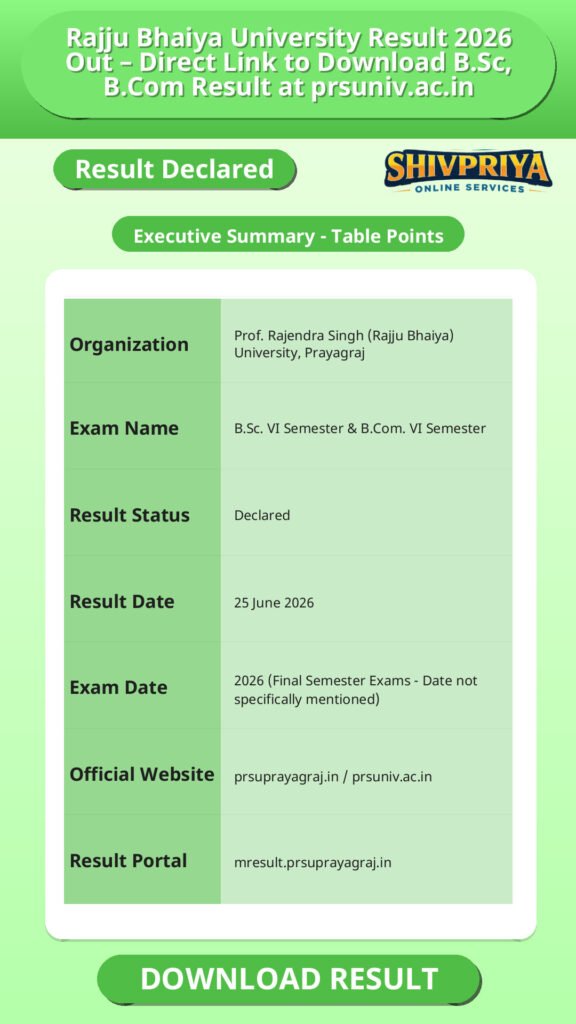
| Organization | Prof. Rajendra Singh (Rajju Bhaiya) University, Prayagraj |
|---|---|
| Exam Name | B.Sc. VI Semester & B.Com. VI Semester |
| Result Status | Declared |
| Result Date | 25 June 2026 |
| Exam Date | 2026 (Final Semester Exams – Date not specifically mentioned) |
| Official Website | prsuprayagraj.in / prsuniv.ac.in |
| Result Portal | mresult.prsuprayagraj.in |
How to Check Result
इस section में Rajju Bhaiya University के Result Portal से Result कैसे चेक करें, इसकी आसान प्रक्रिया दी गई है। उम्मीदवार नीचे दिए गए स्टेप्स को फॉलो करके अपना Result डाउनलोड कर सकते हैं।
- Visit the official result portal – Go to mresult.prsuprayagraj.in/DASHBOARDBG.aspx using Google Chrome or Mozilla Firefox for the best experience.
- Find your course – On the dashboard, locate “BACHELOR OF SCIENCE (B.Sc.) VI SEMESTER” or “BACHELOR OF COMMERCE (B.Com.) VI SEMESTER” from the list of declared results.
- Click the result link – Click on the relevant course name to open the result page.
- Enter your details – Provide your roll number or enrollment number as required.
- View and download your result – Your result will appear on screen. Download or take a screenshot for your records.
Pro Tip: Use only the official portal links provided above. Avoid third-party websites claiming to show results, as these may be inaccurate or fraudulent.
B.Sc. VI Semester Result Details
इस section में B.Sc. VI Semester के Result से जुड़ी महत्वपूर्ण जानकारियां दी गई हैं। यह अंतिम सेमेस्टर रिजल्ट है जो उम्मीदवारों के लिए Degree और Higher Education के लिए जरूरी है।
The B.Sc. VI Semester result is the final semester result for students enrolled in the three-year Bachelor of Science programme under Rajju Bhaiya University. This result is critical for students who need their final marksheet and degree certificate for higher education admissions, job applications, or competitive examinations.
| Course | Bachelor of Science (B.Sc.) |
|---|---|
| Semester | VI (Final Semester) |
| Result Date | 25 June 2026 |
| Where to Check | mresult.prsuprayagraj.in |
Students who are not satisfied with their marks can explore the university’s re-evaluation or re-checking process through the official website at prsuprayagraj.in.
B.Com. VI Semester Result Details
इस section में B.Com. VI Semester के Result से जुड़ी मुख्य जानकारी उपलब्ध है। यह अंतिम सेमेस्टर रिजल्ट कॉमर्स के छात्रों के लिए बहुत महत्वपूर्ण है।
The B.Com. VI Semester result has also been released simultaneously on 25 June 2026. This is the concluding semester for Bachelor of Commerce students, making this result an important milestone for their academic and professional journey.
| Course | Bachelor of Commerce (B.Com.) |
|---|---|
| Semester | VI (Final Semester) |
| Result Date | 25 June 2026 |
| Where to Check | mresult.prsuprayagraj.in |
Other Recent Results
इस section में Rajju Bhaiya University द्वारा हाल ही में घोषित अन्य परिणामों की पूरी सूची दी गई है। उम्मीदवार यहाँ से अन्य कोर्स के परिणाम भी देख सकते हैं।
June 2026 Results
| Course | Semester | Date Declared |
|---|---|---|
| Master of Education (M.Ed.) | IV Semester | 16 June 2026 |
| M.A. Physical Education | IV Semester | 13 June 2026 |
| M.A. Psychology | IV Semester | 13 June 2026 |
| BA LLB | X Semester | 11 June 2026 |
| B.Sc. Biotechnology | IV Semester | 11 June 2026 |
| B.Sc. (Hons.) Biotechnology | VI Semester | 11 June 2026 |
| BBA | VI Semester | 11 June 2026 |
| BCA | VI Semester | 11 June 2026 |
| LLB | VI Semester | 11 June 2026 |
| B.Ed. | IV Semester | 10 June 2026 |
| M.Sc. Mathematics, Physics, Chemistry, Zoology, Botany | IV Semester | 10 June 2026 |
| M.Sc. (Ag) – Various Specialisations | IV Semester | 10 June 2026 |
| M.A. English, Sanskrit, Hindi, Urdu, Economics, Political Science, etc. | IV Semester | 09 June 2026 |
| M.Com. | IV Semester | 09 June 2026 |
| B.Sc. Agriculture (Hons.) | VIII Semester | 09 June 2026 |
| B.Sc. | VI Semester | 25 June 2026 |
| B.Com. | VI Semester | 25 June 2026 |
March 2026 Results
| Course | Semester/Year | Date Declared |
|---|---|---|
| B.A. | I Year / I Semester | 21 March 2026 |
| B.Sc. | I Year / I Semester | 19 March 2026 |
| B.Sc. (Hons.) Agriculture | I, III, V Semester | 18 March 2026 |
| BBA, BCA, B.Ed., B.Lib. | I Semester | 18 March 2026 |
| LLB, BA LLB | Various Odd Semesters | 18 March 2026 |
| M.A. (All Subjects) | I Semester | 18 March 2026 |
| M.Sc. (All Subjects) | I Semester | 18 March 2026 |
| B.Com. | I Year / I Semester | 18 March 2026 |
| B.Com. | III & V Semester | 14 February 2026 |
For a complete and up-to-date list of all declared results, visit the official result dashboard at mresult.prsuprayagraj.in/DASHBOARDBG.aspx.
Frequently Asked Questions (FAQs)
इस section में Rajju Bhaiya University के Result से जुड़े सामान्य प्रश्नों और उनके उत्तरों को हिंदी में समझाया गया है।
Q1. Has Rajju Bhaiya University Result 2026 been declared?
Yes. Prof. Rajendra Singh (Rajju Bhaiya) University has declared the B.Sc. VI Semester and B.Com. VI Semester results on 25 June 2026. Students can check their results at mresult.prsuprayagraj.in.
Q2. What is the official website to check Rajju Bhaiya University Result 2026?
The official result portal is mresult.prsuprayagraj.in. The direct link to the result dashboard is: mresult.prsuprayagraj.in/DASHBOARDBG.aspx. The university’s main exam portal is prsuprayagraj.in.
Q3. Which results have been declared by PRSU on 25 June 2026?
On 25 June 2026, PRSU Prayagraj declared results for two courses:
- Bachelor of Science (B.Sc.) – VI Semester
- Bachelor of Commerce (B.Com.) – VI Semester
Q4. How do I check my B.Sc. VI Sem result for Rajju Bhaiya University 2026?
To check your B.Sc. VI Semester result: visit mresult.prsuprayagraj.in/DASHBOARDBG.aspx, find “BACHELOR OF SCIENCE (B.Sc.) VI SEMESTER” in the declared results list, click on it, enter your roll number, and view your result.
Q5. Which browser should I use to check PRSU result?
The university officially recommends using Google Chrome or Mozilla Firefox for the best experience on the result portal.
Q6. What should I do if I am not satisfied with my PRSU B.Sc. or B.Com. VI Sem result?
Students who wish to challenge their marks can apply for re-evaluation or re-checking of their answer sheets. The procedure and deadlines for this are announced on the official university website at prsuprayagraj.in. Check the latest notifications there for application windows and fees.
Next Stage Guidance
इस section में परिणाम देखने के बाद उम्मीदवारों के लिए आगे की प्रक्रिया के बारे में सरल हिंदी में सुझाव दिए गए हैं।
- यदि आपका Result घोषित हो चुका है, तो तुरंत अपना Scorecard डाउनलोड कर लें और उसका प्रिंट या स्क्रीनशॉट सुरक्षित रखें।
- अगर आप अपने अंक से संतुष्ट नहीं हैं, तो Re-evaluation या Re-checking के लिए आवेदन करें। इसके लिए Official Website पर दी गई सूचना को ध्यान से पढ़ें।
- अगले शैक्षणिक सत्र या नौकरी के लिए आवेदन करने से पहले अपने Result को सावधानी से जांचें और आवश्यक दस्तावेज़ तैयार रखें।
- यदि Document Verification की प्रक्रिया शुरू होती है, तो सभी आवश्यक कागजात समय पर जमा करें।
Document Verification Tips
Result के बाद Document Verification के समय इन बातों का ध्यान रखें ताकि प्रक्रिया में कोई परेशानी न हो।
- सभी मूल दस्तावेज़ जैसे Marksheet, Identity Proof, Admit Card आदि तैयार रखें।
- Document Verification के लिए University द्वारा निर्धारित तारीख और समय का पालन करें।
- यदि कोई त्रुटि पाएँ तो तुरंत University के संबंधित विभाग से संपर्क करें।
- Verification के दौरान सभी दस्तावेज़ सही और प्रमाणित होने चाहिए।
Common Result Mistakes
यहां कुछ सामान्य गलतियां बताई गई हैं जो Result चेक करते समय होती हैं और उनसे बचने के उपाय भी दिए गए हैं।
- गलत रोल नंबर या नाम दर्ज करना – हमेशा सही विवरण भरें।
- अधिकारिक वेबसाइट के बजाय अनधिकृत वेबसाइटों से Result देखना – इससे गलत जानकारी मिल सकती है।
- Result डाउनलोड न करना – जल्द से जल्द अपना Result सुरक्षित करें।
- Re-evaluation के नियम और समय सीमा न जानना – Official Notification जरूर पढ़ें।
“`
Related Categories
Disclaimer
Yeh job post sirf informational purpose ke liye banayi gayi hai taaki aapko recruitment ki details simple aur samajhne layak format me mil sake.
Time ke saath details me changes ho sakte hain (jaise dates, vacancies, eligibility, etc.). Isliye apply karne se pehle official notification ko zarur verify karein.
Hum kisi bhi typing error, outdated information ya misunderstanding ke liye zimmedar nahi honge.