
Panjab University Diploma Result 2026 Out – Check Sem 2nd & 4 Results Online at puchd.ac.in
Loading contents...
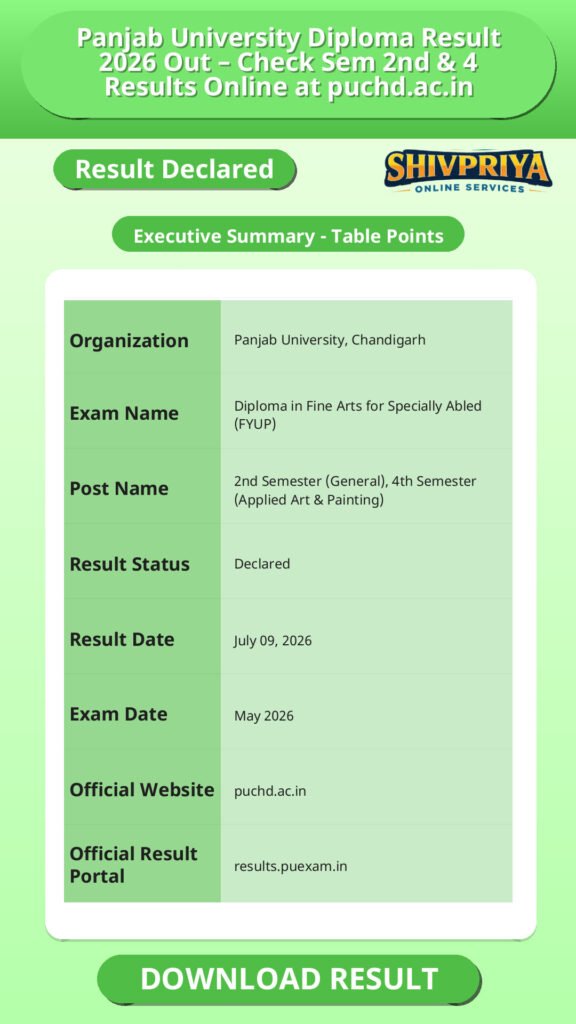
Result Summary
The Panjab University has announced the Diploma in Fine Arts for Specially Abled (FYUP) semester results for May 2026 exams. The results for 2nd Semester (General) and 4th Semester (Applied Art and Painting) were declared on July 09, 2026. Students can check their merit list status and download their scorecards from the official result portal. The university also provides options for rechecking and revaluation after result declaration.
| Organization | Panjab University, Chandigarh |
|---|---|
| Exam Name | Diploma in Fine Arts for Specially Abled (FYUP) |
| Post Name | 2nd Semester (General), 4th Semester (Applied Art & Painting) |
| Result Status | Declared |
| Result Date | July 09, 2026 |
| Exam Date | May 2026 |
| Official Website | puchd.ac.in |
| Official Result Portal | results.puexam.in |
Result Declaration Details
इस सेक्शन में परिणाम की घोषणा की तारीख और संबंधित परीक्षाओं की जानकारी दी गई है। उम्मीदवार यहां परिणाम की स्थिति और उपलब्ध सेमेस्टर विवरण देख सकते हैं।
Panjab University ने Diploma in Fine Arts for Specially Abled (FYUP) के 2nd Semester (General) तथा 4th Semester (Applied Art और Painting) के May 2026 सत्र के परिणाम 09 जुलाई 2026 को घोषित किए हैं। सभी परीक्षाएं मई 2026 में आयोजित की गई थीं।
परिणाम की स्थिति: घोषित। छात्र रोल नंबर के माध्यम से लॉगिन कर विषयवार अंक, ग्रेड, SGPA/CGPA (जहां लागू हो) तथा कुल योग्यता स्थिति देख सकते हैं।
Important Dates
यहाँ परीक्षा और परिणाम से जुड़े महत्वपूर्ण तिथियाँ दी गई हैं, जो उम्मीदवारों के लिए आवश्यक हैं।
| Event | Date |
|---|---|
| Examination Conducted | May 2026 |
| Result Declared | July 09, 2026 |
| Rechecking Application Window | Within 1 week of result declaration |
| Revaluation Application Window | Within 15-20 days of result declaration |
| Photocopy of Answer Sheet Request | Within 21 days of result declaration |
How To Check Result
इस सेक्शन में Panjab University के रिजल्ट चेक करने के स्टेप्स हिंदी में दिए गए हैं। उम्मीदवार आसानी से नीचे बताए गए निर्देशों का पालन कर ऑनलाइन अपना परिणाम देख सकते हैं।
- Visit the official result portal at results.puexam.in.
- Select Diploma in Fine Arts for Specially Abled (FYUP).
- Choose the appropriate semester and examination session (May 2026).
- Enter your Roll Number (and Date of Birth, if required).
- Click on Show Result or Submit.
- Your result will appear on the screen.
- Download the scorecard and take a printout for future reference.
Scorecard Details
इस सेक्शन में Scorecard पर उपलब्ध सभी महत्वपूर्ण जानकारियाँ दी गई हैं। उम्मीदवार इसे ध्यान से पढ़ें ताकि अपने परिणाम की पूरी जानकारी प्राप्त कर सकें।
- Student’s Name
- Roll Number / Registration Number
- Father’s / Mother’s Name
- Course Name
- Specialization (Applied Art / Painting, if applicable)
- Semester
- College / Institution Name
- Subject-wise Theory Marks
- Practical Marks
- Internal Assessment Marks
- Total Marks Obtained
- SGPA / CGPA or Grade (if applicable)
- Overall Result Status (Pass / Re-Appear / Compartment / Absent / Result Withheld)
Post-Result Instructions
परिणाम देखने के बाद उम्मीदवारों के लिए आवश्यक निर्देश इस सेक्शन में बताए गए हैं। यह सुनिश्चित करें कि आप सभी कदम सही तरीके से फॉलो करें।
- Download and save the online result.
- Take a printout for future admission and academic purposes.
- Verify all personal and academic details carefully.
- If any discrepancy is found, contact the college examination branch immediately.
- If marked Re-Appear, prepare for the supplementary examination.
- If the result is withheld, contact the university to resolve pending issues.
- Apply for rechecking or revaluation within the prescribed deadline if required.
- Keep the provisional result until the original mark sheet is issued.
Important Guidelines
यहाँ रिजल्ट के संदर्भ में कुछ महत्वपूर्ण निर्देश दिए गए हैं जिन्हें उम्मीदवारों को ध्यान में रखना चाहिए।
- The online result is provisional in nature.
- Collect the original mark sheet from the university or your affiliated college.
- Always verify your name, roll number, subject codes, and marks.
- Use only the official portals: results.puexam.in and puchd.ac.in.
- Keep your roll number handy while checking the result.
- If your result is unavailable despite entering the correct details, contact the Panjab University Examination Branch.
Other Recruitment Notifications
पंजाब यूनिवर्सिटी की ओर से अन्य भर्ती के अवसर भी उपलब्ध हैं। नीचे कुछ वर्तमान रिक्तियों के विवरण दिए गए हैं।
| Job Openings | Last Date |
|---|---|
| Apprentice Trainee Jobs – 4 Posts | 21-07-2026 |
| Coach Jobs – 4 Posts | 20-07-2026 |
| Guest Faculty Jobs – 1 Post | 10-07-2026 |
Frequently Asked Questions (FAQs)
यहाँ Panjab University Diploma Result 2026 से जुड़े सामान्य प्रश्न और उनके उत्तर हिंदी में दिए गए हैं।
- Q1. When was the Panjab University Diploma in Fine Arts for Specially Abled result declared?
- उत्तर: यह परिणाम 09 जुलाई 2026 को घोषित किया गया था, जो मई 2026 के परीक्षा सत्र से संबंधित है।
- Q2. Where can I check my Panjab University result?
- उत्तर: आप अपना परिणाम आधिकारिक पोर्टल results.puexam.in पर देख सकते हैं, या इस आर्टिकल में दिए गए डायरेक्ट लिंक का उपयोग कर सकते हैं।
- Q3. What details do I need to check my result?
- उत्तर: आमतौर पर परिणाम देखने के लिए आपका रोल नंबर और कभी-कभी जन्मतिथि की आवश्यकता होती है।
- Q4. Which semesters’ results were released?
- उत्तर: 2nd Semester (General) और 4th Semester (Applied Art और Painting स्पेशलाइजेशन) के परिणाम जारी किए गए हैं।
- Q5. Is this result final?
- उत्तर: नहीं, यह एक प्रांतीय (provisional) परिणाम है। अंतिम और मूल मार्कशीट विश्वविद्यालय या संबद्ध कॉलेज से प्राप्त करनी होगी।
Next Stage Guidance
रिजल्ट घोषित होने के बाद आगे की प्रक्रिया को समझना बेहद जरूरी होता है। नीचे कुछ सुझाव दिए गए हैं जो आपको आगे के कदम उठाने में मदद करेंगे।
- रिजल्ट की प्रिंटआउट लेकर सुरक्षित रखें।
- अगर रिजल्ट में कोई त्रुटि हो तो तुरंत कॉलेज या यूनिवर्सिटी से संपर्क करें।
- यदि Re-Appear या Compartment है, तो सप्लीमेंट्री परीक्षा की तैयारी शुरू करें।
- रिवैल्यूएशन या रीक्वेरी के लिए समय सीमा के अंदर आवेदन करें।
- फाइनल मार्कशीट मिलने तक प्रांतीय रिजल्ट को संभाल कर रखें।
Document Verification Tips
डॉक्यूमेंट वेरिफिकेशन के दौरान उम्मीदवारों को किन बातों का ध्यान रखना चाहिए, यह जानना आवश्यक है।
- अपने सभी मूल दस्तावेज साथ लेकर जाएं।
- परिणाम और रोल नंबर की प्रिंटआउट साथ रखें।
- फोटो पहचान पत्र जैसे आधार कार्ड या अन्य सरकारी पहचान पत्र साथ रखें।
- कॉलेज या विश्वविद्यालय द्वारा बताए गए निर्देशों का पालन करें।
- किसी भी असंगति को तुरंत संबंधित विभाग को सूचित करें।
Common Result Mistakes
रिजल्ट चेक करते समय आम तौर पर होने वाली गलतियों से बचने के लिए निम्न सुझाव उपयोगी होंगे।
- गलत रोल नंबर या जन्मतिथि डालना।
- आधिकारिक वेबसाइट के बजाय अनधिकृत वेबसाइट पर रिजल्ट देखना।
- रिजल्ट प्रिंटआउट न लेना।
- अंक या ग्रेड की पूरी जाँच न करना।
- रिजल्ट की अस्थायी प्रकृति को न समझना और फाइनल मार्कशीट न लेना।
“`
Related Categories
Disclaimer
Yeh job post sirf informational purpose ke liye banayi gayi hai taaki aapko recruitment ki details simple aur samajhne layak format me mil sake.
Time ke saath details me changes ho sakte hain (jaise dates, vacancies, eligibility, etc.). Isliye apply karne se pehle official notification ko zarur verify karein.
Hum kisi bhi typing error, outdated information ya misunderstanding ke liye zimmedar nahi honge.