
Odisha B.Ed Result 2026 – Direct Link to Check Scorecard & Merit List
Loading contents...
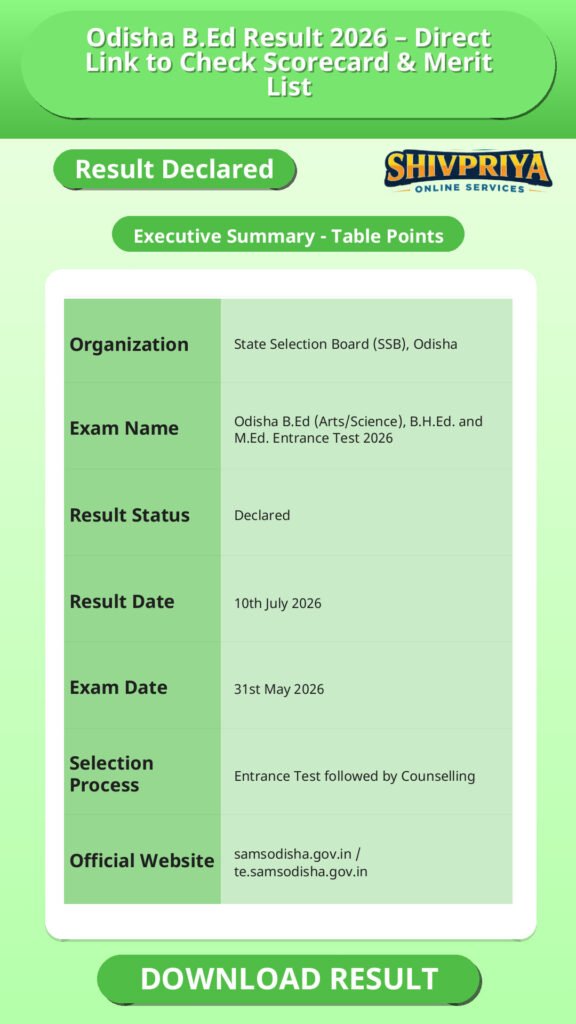
| Organization | State Selection Board (SSB), Odisha |
|---|---|
| Exam Name | Odisha B.Ed (Arts/Science), B.H.Ed. and M.Ed. Entrance Test 2026 |
| Result Status | Declared |
| Result Date | 10th July 2026 |
| Exam Date | 31st May 2026 |
| Selection Process | Entrance Test followed by Counselling |
| Official Website | samsodisha.gov.in / te.samsodisha.gov.in |
Key Dates
इस भाग में आप Odisha B.Ed Entrance Test 2026 से संबंधित सभी महत्वपूर्ण तिथियाँ देख सकते हैं, जिनका पालन करना उम्मीदवारों के लिए आवश्यक है।
| Event | Date |
|---|---|
| Entrance Exam Date | 31st May 2026 |
| Final Answer Key Released | 29th June 2026 |
| Result Declared | 10th July 2026 (Today) |
| Choice Filling & College Locking Window | 20th – 22nd July 2026 (tentative) |
| Upgradation of Graduation/Equivalent Marks | 23rd – 25th July 2026 (tentative) |
| 1st Round Provisional Seat Allotment | 28th July 2026 (tentative) |
| Online Slide/Freeze Selection & Fee Payment (Round 1) | 29th – 31st July 2026 (tentative) |
| Physical Reporting at Allotted Colleges | 1st – 3rd August 2026 (tentative) |
| 2nd Round Seat Allotment | 10th August 2026 (tentative) |
| Commencement of 1st Year B.Ed Classes | Late August 2026 (tentative) |
How to Check Result
इस सेक्शन में Odisha B.Ed Result 2026 ऑनलाइन चेक करने की प्रक्रिया सरल हिंदी में विस्तार से दी गई है। उम्मीदवार नीचे दिए गए स्टेप्स का पालन कर अपने परिणाम को आसानी से डाउनलोड कर सकते हैं।
- Visit the official SAMS Odisha portal at te.samsodisha.gov.in or ssbodisha.ac.in.
- Look for the link titled “Results of B.Ed. Arts/Science, B.H.Ed. and M.Ed. Entrance Test 2026” on the homepage and click on it.
- A login page will open on the screen.
- Enter your Barcode/Roll Number (or SAMS Application Number and Date of Birth, depending on the login page) along with the captcha code shown.
- Click on the “Show” or “Submit” button.
- Your Odisha B.Ed Result 2026 and scorecard will appear on the screen.
- Download and print the result for future reference and admission purposes.
Login Credential Recovery
यदि उम्मीदवार अपना login credentials भूल गए हैं तो नीचे दिए गए आसान स्टेप्स से वे इसे पुनः प्राप्त कर सकते हैं। यह जानकारी result portal तक पहुंचने के लिए आवश्यक है।
- Visit the official SAMS Odisha portal and click on “Forgot Application Number” or “Forgot Password” on the login page.
- Enter your registered mobile number or email ID to receive an OTP for verification.
- Reset your password after verification and log in to download the result.
- If the online recovery does not work, contact the SAMS Central Helpline (Sanjoog Helpline) at 155335 or 1800-345-6770 (toll-free within Odisha).
- The helpdesk operates from 6:00 AM to 10:00 PM on all working days.
- Keep your Aadhaar card and Class 10/12 roll numbers ready so the helpdesk executive can locate your profile quickly.
Scorecard Details
इस सेक्शन में उम्मीदवार अपने Odisha B.Ed scorecard में शामिल महत्वपूर्ण जानकारियाँ समझ सकते हैं। यह जानकारी admission और verification के लिए जरूरी होती है।
- Candidate’s name, gender, and date of birth
- Barcode number / SAMS application number
- Course and stream applied for
- Social category and special reserved category (if applicable)
- Section-wise marks and total entrance test score
- Qualifying status and state rank
Expected Cut Off Marks
यहाँ Odisha B.Ed Entrance Test 2026 के लिए अनुमानित कट ऑफ मार्क्स कैटेगरी वार दिए गए हैं। यह आधिकारिक कट ऑफ नहीं है, वास्तविक कट ऑफ SSB Odisha द्वारा बाद में जारी की जाएगी।
| Category | Expected Cut Off (Marks) |
|---|---|
| General / UR | 62 – 68 |
| SEBC | 59 – 64 |
| SC | 54 – 59 |
| ST | 49 – 54 |
Cut-offs for self-financing colleges are generally lower, estimated in the range of 40–48 marks.
Direct Result Link
इस सेक्शन में आप Odisha B.Ed Result 2026 के लिए आधिकारिक लिंक देख सकते हैं जहाँ से आप अपना परिणाम और scorecard डाउनलोड कर सकते हैं।
- Result portal: te.samsodisha.gov.in or www.samsodisha.gov.in
- SSB Odisha website: ssbodisha.ac.in
Frequently Asked Questions
इस सेक्शन में Odisha B.Ed Result 2026 से जुड़े सामान्य प्रश्नों के उत्तर हिंदी में विस्तार से दिए गए हैं।
- Q1. Is the Odisha B.Ed Result 2026 released?
- No. The Odisha B.Ed Result 2026 for the B.Ed (Arts/Science), B.H.Ed. and M.Ed. Entrance Test will be released today, 10th July 2026. Candidates can check their scorecard on the official SAMS Odisha portal.
- Q2. Where can I check the Odisha B.Ed Result 2026?
- You can check it on the official SAMS Odisha portal at te.samsodisha.gov.in, www.samsodisha.gov.in, or ssbodisha.ac.in, using your Barcode/Roll Number or SAMS Application Number and Date of Birth.
- Q3. What documents does the Odisha B.Ed scorecard show?
- The scorecard shows the candidate’s name, barcode/application number, course and stream, category, section-wise and total marks, and qualifying status with state rank.
- Q4. What is the expected cut-off for General category in Odisha B.Ed 2026?
- Based on previous year trends, the expected cut-off for the General/UR category is around 62 to 68 marks. This is an estimate, not an official figure, and the actual cut-off will be released by SSB Odisha.
- Q5. What should I do if I forget my login credentials for the result portal?
- Use the “Forgot Application Number” or “Forgot Password” option on the SAMS Odisha login page, or contact the Sanjoog Helpline at 155335 or 1800-345-6770 between 6:00 AM and 10:00 PM on working days.
Next Stage Guidance
Odisha B.Ed Result 2026 के बाद उम्मीदवारों को counselling प्रक्रिया में भाग लेना होगा। नीचे counselling और आगे की प्रक्रिया के बारे में हिंदी में जानकारी दी गई है।
- रिजल्ट घोषित होने के बाद उम्मीदवारों को कॉलेज और कोर्स चुनने के लिए choice filling करनी होगी।
- Choice filling और college locking की प्रक्रिया निर्धारित तिथियों पर पूरी करनी होती है।
- पहली राउंड की seat allotment के बाद फीस जमा कर physical reporting करना आवश्यक होगा।
- दूसरी राउंड और अपग्रेडेशन की प्रक्रिया भी निर्धारित शेड्यूल अनुसार होती है।
- क्लासेस की शुरुआत अगस्त के अंत में हो जाएगी, इसलिए सभी स्टूडेंट्स को counselling प्रक्रिया पर ध्यान देना चाहिए।
Document Verification Tips
Counselling और admission के दौरान दस्तावेज़ सत्यापन (Document Verification) बहुत महत्वपूर्ण होता है। नीचे कुछ आवश्यक सुझाव दिए गए हैं।
- अपने सभी मूल दस्तावेज जैसे 10वीं, 12वीं मार्कशीट, प्रवेश परीक्षा की admit card, scorecard, category certificate आदि साथ लेकर जाएं।
- अधिकृत प्रमाण पत्र और डॉक्युमेंट्स की फोटोकॉपी भी तैयार रखें।
- यदि category या reservation से संबंधित कोई प्रमाण पत्र है तो वह भी साथ अवश्य ले जाएं।
- Document Verification के लिए निर्धारित तिथि और समय का सख्ती से पालन करें।
- यदि कोई डॉक्युमेंट अधूरा या गलत पाया जाता है तो admission प्रक्रिया में समस्या आ सकती है। अतः सावधानी बरतें।
Common Result Mistakes
कई बार परिणाम देखने या डाउनलोड करने में उम्मीदवार कुछ आम गलतियाँ कर बैठते हैं। इन्हें जानकर आप उनसे बच सकते हैं।
- गलत login credentials डालना (Barcode / Roll Number या Application Number और Date of Birth गलत होना)।
- अधूरी जानकारी के कारण scorecard या result page नहीं खुलना।
- result डाउनलोड करने के बाद उसका प्रिंट न निकालना या सुरक्षित न रखना।
- cut off और merit list को official notification के बिना मान लेना।
- result लिंक के लिए unofficial या संदिग्ध वेबसाइटों का उपयोग करना।
“`
Related Categories
Disclaimer
Yeh job post sirf informational purpose ke liye banayi gayi hai taaki aapko recruitment ki details simple aur samajhne layak format me mil sake.
Time ke saath details me changes ho sakte hain (jaise dates, vacancies, eligibility, etc.). Isliye apply karne se pehle official notification ko zarur verify karein.
Hum kisi bhi typing error, outdated information ya misunderstanding ke liye zimmedar nahi honge.