
KEA KREIS Teacher Hall Ticket 2026 Download, Exam Dates, Vacancy Details
Loading contents...
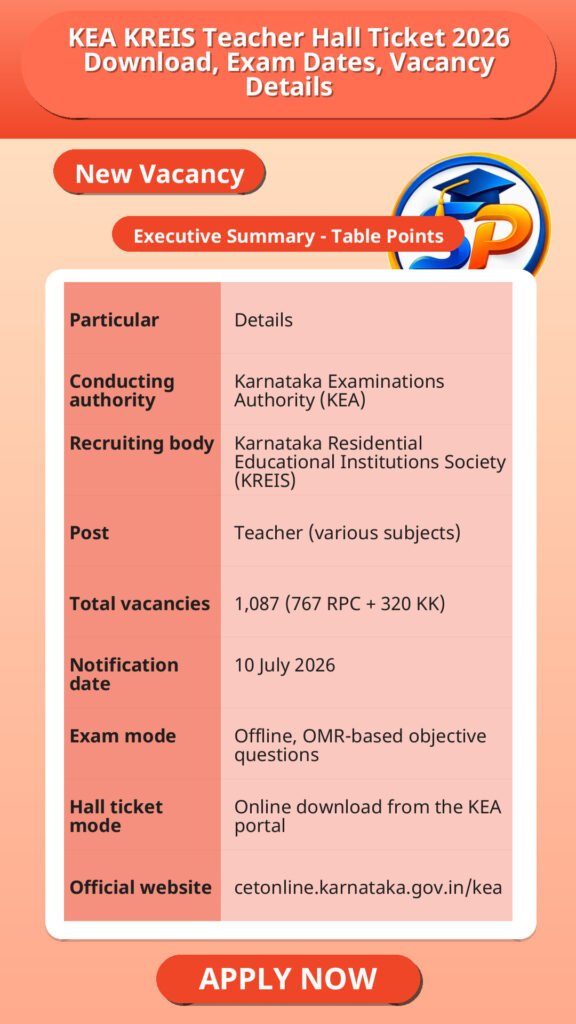
The Karnataka Examinations Authority (KEA) issues the KREIS Teacher hall ticket 2026 online at cetonline.karnataka.gov.in. Candidates who applied for the 1,087 Teacher posts can download it from the KEA hall ticket login page and must carry a printed copy to the exam centre. For the RPC cadre, Paper 1 for 26 October 2026 and Paper 2 for 27 October 2026.
अगर आप केआरईआईएस शिक्षक पदों के लिए आवेदन कर चुके हैं तो अपना हॉल टिकट ऑनलाइन डाउनलोड करना जरूरी है, और इसे परीक्षा केंद्र पर प्रिंट करके ले जाना होगा। RPC कैडर के लिए परीक्षा दो दिनों में होगी।
Source
Vacancy/Update Name: KEA KREIS Teacher Hall Ticket 2026 – Quick Overview
KEA KREIS Teacher Hall Ticket 2026 – Quick Overview
| Particular | Details |
|---|---|
| Conducting authority | Karnataka Examinations Authority (KEA) |
| Recruiting body | Karnataka Residential Educational Institutions Society (KREIS) |
| Post | Teacher (various subjects) |
| Total vacancies | 1,087 (767 RPC + 320 KK) |
| Notification date | 10 July 2026 |
| Exam mode | Offline, OMR-based objective questions |
| Hall ticket mode | Online download from the KEA portal |
| Official website | cetonline.karnataka.gov.in/kea |
इस सारणी से पता चलता है कि परीक्षा offline मोड में OMR पेपर के माध्यम से होगी और कुल 1087 पद हैं, जिनमें से 767 RPC और 320 KK कैडर के हैं। हॉल टिकट केवल ऑनलाइन ही मिलेंगे।
KREIS Teacher Exam Date 2026
| Cadre | Paper | Date | Timing |
|---|---|---|---|
| RPC | Paper 1 | 26 October 2026 | 10:30 AM to 12:30 PM |
| RPC | Paper 2 | 27 October 2026 | 3:00 PM to 5:00 PM |
RPC कैडर के लिए परीक्षा 26 और 27 अक्टूबर 2026 को दो पेपरों में आयोजित होगी, जो अलग-अलग समय में होंगे। KK कैडर की परीक्षा तिथि स्रोत में उपलब्ध नहीं है।
How to Download the KREIS Teacher Hall Ticket 2026
- Open the KEA website at cetonline.karnataka.gov.in/kea.
- Go to the hall ticket or admit card section and select the KREIS Teacher recruitment link for your cadre (RPC or KK).
- Enter your login details as asked on the page.
- Submit the details to view your hall ticket.
- Check every detail, download the PDF and take a clear printout.
हॉल टिकट डाउनलोड करने के लिए आधिकारिक KEA वेबसाइट पर जाएं, अपना कैडर चुनें, लॉगिन विवरण भरें और फिर हॉल टिकट डाउनलोड कर प्रिंट आउट जरूर लें।
Login Details Needed for KEA Hall Ticket Download
The KEA hall ticket login page asks for the application number or registration number and the first 5 characters of your name. Some websites mention date of birth instead. Use whichever fields the official login page shows.
हॉल टिकट लॉगिन के लिए आवेदन संख्या या पंजीकरण संख्या और नाम के पहले 5 अक्षर दर्ज करने होंगे, या यदि वेबसाइट मांगे तो जन्मतिथि भी डाल सकते हैं।
Details to Check on Your KREIS Teacher Hall Ticket
- Name, photograph and signature
- Application or registration number
- Cadre (RPC or KK) and post or subject
- Exam date, shift and reporting time
- Exam centre name and address
- Instructions printed on the hall ticket
अपने हॉल टिकट में अपना नाम, फोटो, हस्ताक्षर, आवेदन संख्या, कैडर, परीक्षा तिथि, समय और परीक्षा केंद्र की पूरी जानकारी सही से जांच लें।
Important Instructions for KREIS Teacher Exam Day
- Read all instructions on your hall ticket before the exam day.
- Check your exam centre location in advance.
- Reach the centre by the reporting time given on the hall ticket.
- Since the exam is OMR-based, follow the marking instructions carefully.
- Keep a spare printout of your hall ticket.
परीक्षा के दिन समय से पहले परीक्षा केंद्र पहुंचें, हॉल टिकट की सभी निर्देशों का पालन करें, और OMR पेपर भरने के नियम ध्यान से समझें। अतिरिक्त प्रिंट आउट साथ रखें।
KREIS Teacher Hall Ticket Not Downloading: What to Try
- Recheck your application or registration number and the spelling of the first 5 characters of your name.
- Confirm you chose the correct cadre link, RPC or KK.
- Try another browser or device, or try again after some time if the site is busy.
- If the problem continues, contact KEA through the contact details on its official website.
अगर हॉल टिकट डाउनलोड नहीं हो रहा है तो अपने लॉगिन विवरण सही हैं या नहीं जांचें, सही कैडर चुना है या नहीं देखें, और जरूरत पड़े तो अलग ब्राउजर या डिवाइस से प्रयास करें। समस्या बनी रहे तो KEA से संपर्क करें।
KREIS Teacher Vacancy 2026: RPC and KK Cadre
| Cadre | Vacancies |
|---|---|
| Residual Parent Cadre (RPC) | 767 |
| Kalyana Karnataka (KK) local cadre | 320 |
| Total | 1,087 |
पूरे 1087 पदों में से 767 RPC कैडर के लिए और 320 KK कैडर के लिए हैं, जो उम्मीदवारों को उनके चयनित क्षेत्र के अनुसार मौका देते हैं।
KEA KREIS Teacher Hall Ticket 2026 – Important Links
| Link | Where |
|---|---|
| KEA official website | cetonline.karnataka.gov.in/kea |
| KEA hall ticket login page | KEA Online Hall Ticket |
| KREIS official website | kreis.karnataka.gov.in |
ये लिंक आधिकारिक वेबसाइट्स के हैं जहां से हॉल टिकट डाउनलोड करें और भर्ती से जुड़ी अन्य जानकारी प्राप्त करें।
KEA KREIS Teacher Hall Ticket 2026 – FAQs
Q1. Where can I download the KREIS Teacher hall ticket 2026?
Download it from the KEA hall ticket login page on cetonline.karnataka.gov.in. Select the KREIS Teacher link for your cadre.
Q2. What is the KREIS Teacher exam date 2026?
For the RPC cadre, Paper 1 for 26 October 2026 and Paper 2 for 27 October 2026. The KK cadre date is not available in the sources reviewed.
Q3. What login details are needed for the KEA hall ticket?
The KEA login page asks for your application or registration number and the first 5 characters of your name. Some sites mention date of birth, so follow the fields shown on the page.
Q4. Do I need to carry a printout of the hall ticket?
Yes state a printed copy is required for entry to the exam centre.
Q5. What if my hall ticket has wrong details?
Contact KEA through the contact details on its official website.
FAQs से स्पष्ट होता है कि हॉल टिकट के लिए KEA की आधिकारिक वेबसाइट से लॉगिन करना होगा, प्रिंट आउट लेकर परीक्षा केंद्र जाना जरूरी है, और गलत जानकारी होने पर KEA से संपर्क करें।
KEA KREIS Teacher Hall Ticket 2026 – Value Add
पदों की कुल संख्या और कैडर के अनुसार भर्ती होने के कारण उम्मीदवारों को अपने कैडर (RPC या KK) पर विशेष ध्यान देना चाहिए। हॉल टिकट डाउनलोड करते समय सही लॉगिन विवरण का उपयोग करना जरूरी है ताकि परीक्षा में प्रवेश में कोई बाधा न आए। परीक्षा दो चरणों में होने से तैयारी को पेपर-वार बांटना फायदेमंद रहेगा। OMR आधारित परीक्षा होने से मार्किंग नियमों को समझना और सही तरीके से पालन करना सफलता की कुंजी है। परीक्षा स्थल पर समय से पहुंचना और हॉल टिकट का प्रिंट आउट साथ रखना अनिवार्य है। यदि हॉल टिकट डाउनलोड में समस्या हो तो तुरंत KEA से संपर्क करें जिससे समय रहते समाधान हो सके।
Disclaimer
Yeh job post sirf informational purpose ke liye banayi gayi hai taaki aapko recruitment ki details simple aur samajhne layak format me mil sake.
Time ke saath details me changes ho sakte hain (jaise dates, vacancies, eligibility, etc.). Isliye apply karne se pehle official notification ko zarur verify karein.
Hum kisi bhi typing error, outdated information ya misunderstanding ke liye zimmedar nahi honge.