
Comprehensive Guide to SWAYAM January 2026 Hybrid Mode Result
Loading contents...
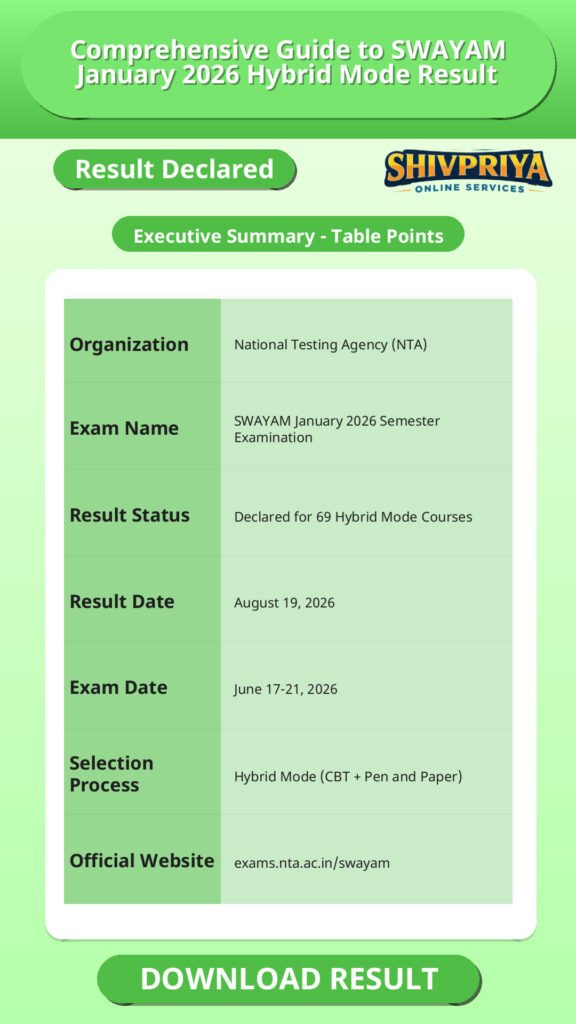
| Organization | National Testing Agency (NTA) |
|---|---|
| Exam Name | SWAYAM January 2026 Semester Examination |
| Result Status | Declared for 69 Hybrid Mode Courses |
| Result Date | August 19, 2026 |
| Exam Date | June 17-21, 2026 |
| Selection Process | Hybrid Mode (CBT + Pen and Paper) |
| Official Website | exams.nta.ac.in/swayam |
Exam Dates and Result Timeline
इस section में परीक्षा और परिणाम से संबंधित महत्वपूर्ण तिथियां दी गई हैं। उम्मीदवार यहां परीक्षा के दिनों और परिणाम घोषित होने की तारीख देख सकते हैं।
- Exam conducted on: June 17, 18, 19, 20 and 21, 2026 (across 10 sessions, 201 exam centres, 149 cities)
- CBT-mode result declared: July 16, 2026
- Hybrid-mode result declared: August 19, 2026
Participation and Result Statistics
इस भाग में परीक्षा में पंजीकृत और उपस्थित उम्मीदवारों की संख्याओं से जुड़ी जानकारी उपलब्ध है। यह आँकड़े CBT और Hybrid दोनों मोड के लिए अलग-अलग दिए गए हैं।
| Mode | Courses | Candidates Registered | Candidates Appeared |
|---|---|---|---|
| CBT Mode | 829 | 1,22,953 | 1,04,834 |
| Hybrid Mode | 69 | 3,820 | 3,053 |
| Total (Jan 2026 semester) | 898 | 1,26,773 | 1,07,887 |
How To Check Result
इस section में उम्मीदवारों के लिए SWAYAM January 2026 Hybrid Result डाउनलोड करने की प्रक्रिया विस्तार से बताई गई है।
- Visit the official SWAYAM examination website: exams.nta.ac.in/swayam.
- Look for the notice titled “Declaration of Results of the January 2026-Semester Exams of the courses held in Hybrid (CBT + Pen & Paper) Mode under SWAYAM.”
- Log in using your Application Number and password.
- View your result/scorecard on screen.
- Download the scorecard and save a copy.
- Take a printout for future reference.
Candidate Instructions
इस section में उम्मीदवारों के लिए महत्वपूर्ण निर्देश और सावधानियां दी गई हैं जो परिणाम देखने और scorecard संभालने से जुड़ी हैं।
- Keep your Application Number and login password ready before visiting the portal, since both are required to view the scorecard.
- Cross-check personal and course details displayed on the scorecard after downloading.
- Retain a downloaded copy and a printout of the scorecard, as advised by NTA, for future reference.
- NTA’s role is limited to conducting the exam, declaring scores, and forwarding results – for queries about certificates or further academic action, candidates should also refer to the course-offering institution as applicable.
Official Links
इस section में आधिकारिक वेबसाइट और परिणाम जांचने के लिए डायरेक्ट लिंक दिए गए हैं।
FAQ
Has the SWAYAM January 2026 result for hybrid-mode courses been declared?
Yes. NTA has declared the result for the 69 courses conducted in Hybrid mode (CBT + pen and paper) as part of the January 2026 SWAYAM semester examination.
How many candidates appeared for the SWAYAM January 2026 hybrid-mode exam?
Of the 3,820 candidates who registered for the 69 hybrid-mode papers, 3,053 candidates appeared for the examination.
Where can I check my SWAYAM January 2026 result?
Results and scorecards can be checked and downloaded on the official SWAYAM examination website, exams.nta.ac.in/swayam, using your Application Number and password.
What is the difference between the CBT-mode and Hybrid-mode SWAYAM results?
The CBT-mode result (829 courses) was declared on July 16, 2026, for exams held fully on computer. The Hybrid-mode result (69 courses) covers exams that combined computer-based testing with a pen-and-paper component, and was declared separately, in continuation of the July 16 notice.
What login details are needed to download the SWAYAM scorecard?
Candidates need their Application Number and password to log in and download their scorecard from the SWAYAM result portal.
Next Stage Guidance
उम्मीदवारों के लिए अगले चरण की प्रक्रिया समझना बहुत जरूरी है। इस section में आगे की तैयारी और आवश्यक कदमों के बारे में जानकारी दी गई है।
- परिणाम डाउनलोड करने के बाद, उम्मीदवारों को अपने scorecard को सुरक्षित स्थान पर रखना चाहिए।
- यदि उम्मीदवार चयनित होते हैं, तो उन्हें संबंधित संस्थान की वेबसाइट पर जाकर प्रमाणपत्र या आगे की प्रक्रिया के बारे में जानकारी लेनी चाहिए।
- अगले चरण में दस्तावेज सत्यापन या अन्य चयन प्रक्रियाएं हो सकती हैं, इसलिए सभी आवश्यक दस्तावेज तैयार रखें।
- कोई भी संशय होने पर आधिकारिक वेबसाइट या संबंधित संस्थान से संपर्क करें।
Document Verification Tips
परिणाम के बाद Document Verification प्रक्रिया के लिए आवश्यक सुझाव इस section में दिए गए हैं।
- अपने scorecard, पहचान पत्र, और अन्य महत्वपूर्ण दस्तावेजों की तैयारी पहले से कर लें।
- सभी दस्तावेज मूल और फोटोकॉपी दोनों साथ लेकर जाएं।
- Document Verification के लिए बताए गए दिन और समय का ध्यान रखें।
- अगर दस्तावेजों में कोई त्रुटि हो तो जल्द ही संबंधित प्राधिकरण को सूचित करें।
- सभी दस्तावेजों को व्यवस्थित और साफ-सुथरा रखें ताकि जांच में कोई परेशानी न हो।
Common Result Mistakes
परिणाम देखने और scorecard डाउनलोड करते समय उम्मीदवारों द्वारा होने वाली सामान्य गलतियों से बचने के लिए यहां कुछ सुझाव दिए गए हैं।
- गलत Application Number या पासवर्ड डालना जिससे लॉगिन में समस्या आती है।
- परिणाम देखने के बाद व्यक्तिगत विवरण की जांच न करना।
- Scorecard डाउनलोड या प्रिंटआउट न लेना।
- अधिकारिक वेबसाइट के बजाय अनायास अन्य वेबसाइटों पर परिणाम खोजने की गलती।
- परिणाम संबंधी किसी भी विवाद के लिए समय पर संबंधित प्राधिकरण से संपर्क न करना।
Related Categories
Disclaimer
Yeh job post sirf informational purpose ke liye banayi gayi hai taaki aapko recruitment ki details simple aur samajhne layak format me mil sake.
Time ke saath details me changes ho sakte hain (jaise dates, vacancies, eligibility, etc.). Isliye apply karne se pehle official notification ko zarur verify karein.
Hum kisi bhi typing error, outdated information ya misunderstanding ke liye zimmedar nahi honge.