
Comprehensive Guide to Gurugram University May 2026 Exam Results
Loading contents...
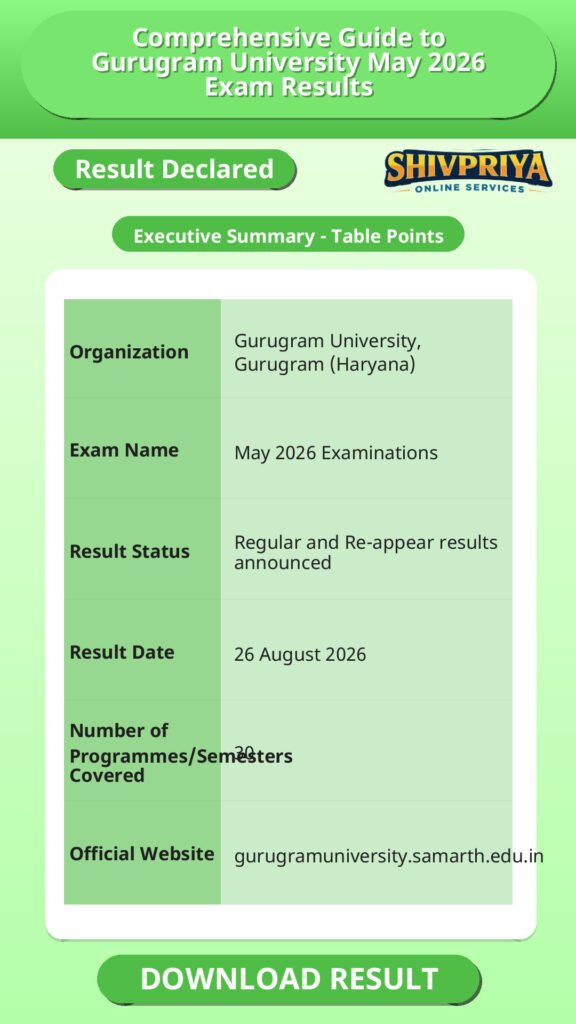
| Organization | Gurugram University, Gurugram (Haryana) |
|---|---|
| Exam Name | May 2026 Examinations |
| Result Status | Regular and Re-appear results announced |
| Result Date | 26 August 2026 |
| Number of Programmes/Semesters Covered | 30 |
| Official Website | gurugramuniversity.samarth.edu.in |
Result Notification Details
इस section में Gurugram University द्वारा जारी Result Notification No. 11 की पूरी जानकारी दी गई है। उम्मीदवार नोटिफिकेशन की तारीख, संदर्भ संख्या और परिणाम से जुड़ी अन्य महत्वपूर्ण जानकारियां यहां पढ़ सकते हैं।
Gurugram University has issued Result Notification No. 11 for the May 2026 Examinations, announcing that Regular/Re-appear results for 30 UG and PG programmes are now available on the university’s result portal. The notification, dated 26 August 2026, was issued by the Assistant Registrar (Result-II) for the Controller of Examinations, Gurugram University.
Programme and Semester Wise Result List
इस section में सभी 30 UG और PG प्रोग्रामों के सेमेस्टर अनुसार परिणाम लिंक सूचीबद्ध हैं। उम्मीदवार अपने संबंधित प्रोग्राम और सेमेस्टर के लिंक पर क्लिक करके परिणाम देख सकते हैं।
| Programme Name | Semester | Result Link |
|---|---|---|
| Master of Computer Application | 2nd Sem | Click Here |
| Master of Science (Zoology) | 2nd Sem | Click Here |
| Master of Public Health | 2nd Sem | Click Here |
| Master of Arts (Hindu Studies) | 2nd Sem | Click Here |
| Bachelor of Technology (Computer Science and Engineering) | 2nd Sem | Click Here |
| Bachelor of Technology in Computer Science and Engineering (Artificial Intelligence) | 2nd Sem | Click Here |
| Bachelor of Technology in Computer Science and Engineering (Cyber Security) | 2nd Sem | Click Here |
| Bachelor of Technology in Computer Science and Engineering (Internet of Things) | 2nd Sem | Click Here |
| Master of Arts (History) | 2nd Sem | Click Here |
| Master of Arts (Mass Communication) (Integrated) RE | 6th Sem | Click Here |
| Bachelor of Technology in Electronics Engineering (VLSI Design Technology) RE | 2nd Sem | Click Here |
| Bachelor of Technology in Computer Science and Engineering (Internet of Things) RE | 2nd Sem | Click Here |
| Bachelor of Technology in Computer Science and Engineering (Cyber Security) RE | 2nd Sem | Click Here |
| Bachelor of Technology in Computer Science and Engineering (Artificial Intelligence) RE | 2nd Sem | Click Here |
| Bachelor of Technology (Computer Science and Engineering) RE | 2nd Sem | Click Here |
| Master of Computer Application (Integrated) | 2nd Sem | Click Here |
| Master of Arts (Hindu Studies) RE | 2nd Sem | Click Here |
| Master of Arts (Hindu Studies) | 4th Sem | Click Here |
| Bachelor of Pharmacy | 6th Sem | Click Here |
| Bachelor of Pharmacy RE | 5th Sem | Click Here |
| Bachelor of Pharmacy RE | 6th Sem | Click Here |
| Bachelor of Pharmacy RE | 2nd Sem | Click Here |
| Bachelor of Pharmacy RE | 4th Sem | Click Here |
| Bachelor of Pharmacy RE | 6th Sem | Click Here |
| Master of Science (Zoology) | 4th Sem | Click Here |
| Master of Arts (Political Science & International Relations) | 2nd Sem | Click Here |
| Master of Arts (Political Science & International Relations) RE | 2nd Sem | Click Here |
| Master of Arts (English) Professional/Communication Skill RE | 4th Sem | Click Here |
| Bachelor of Pharmacy RE | 3rd Sem | Click Here |
| Bachelor of Pharmacy RE | 1st Sem | Click Here |
How to Check Your Result
इस section में Gurugram University के परीक्षा परिणाम कैसे चेक करें इसकी स्टेप बाय स्टेप प्रक्रिया दी गई है। उम्मीदवार नीचे दिए निर्देशों का पालन करके अपना रिजल्ट देख सकते हैं।
- Go to the Gurugram University result portal: https://gurugramuniversity.samarth.edu.in/
- Log in with your student credentials (registration/roll number and password) on the Samarth portal.
- Navigate to the result/examination section for your programme and semester.
- Check your subject-wise marks and overall result status.
- Download and save your result for future reference.
Important Instructions
इस section में परिणाम से जुड़ी महत्वपूर्ण जानकारी और निर्देश दिए गए हैं जिन्हें उम्मीदवारों को परिणाम देखते समय ध्यान में रखना चाहिए।
- Results for the programmes listed above are available only on the university portal (gurugramuniversity.samarth.edu.in) – the notification does not attach a separate downloadable result sheet.
- Students should verify their roll number and course details carefully while checking results on the portal.
- The notification does not specify a separate re-checking, re-evaluation, or grievance deadline; for such requests, refer to the university’s general Re-Evaluation and Result Grievances (GMS) pages, or contact the Result-II Branch.
Important Links
इस section में Gurugram University May 2026 Exam Results से संबंधित महत्वपूर्ण URLs और लिंक उपलब्ध कराए गए हैं। उम्मीदवार इन्हें सीधे उपयोग कर सकते हैं।
FAQ
Q1. When was Gurugram University Result Notification No. 11 for May 2026 Examinations released?
The notification is dated 27 August 2026 and carries reference number GUG/Result-2/2026/710.
Q2. How do I check my result under this notification?
Log in to the university portal at gurugramuniversity.samarth.edu.in with your student credentials and check the result section for your programme and semester, as described in the “How to Check Your Result” section above.
Q3. Does this notification cover regular results, re-appear results, or both?
Both. The notification explicitly covers “Regular/Re-appear” results; entries marked “RE” in the programme list are re-appear results, and the rest are regular results.
Q4. Is a result PDF with roll number-wise marks attached to this notification?
No. The notification only lists the covered programmes and directs students to check their individual results on the university portal (gurugramuniversity.samarth.edu.in) – it does not include a roll-number-wise result sheet.
Q5. Where can I find other Gurugram University result notifications?
All result notices – regular, re-appear, re-evaluation, and retotal – are published on the official Result Notices page at gurugramuniversity.ac.in.
इस section में Gurugram University Result Notification No. 11 से जुड़े सामान्य प्रश्न और उनके उत्तर दिए गए हैं। उम्मीदवार अपने संदेहों को यहाँ से दूर कर सकते हैं।
Next Stage Guidance
उम्मीदवारों के लिए परिणाम के बाद की प्रक्रिया और अगले चरणों की जानकारी इस section में दी गई है।
- रिजल्ट आने के बाद उम्मीदवारों को अपने मार्क्स और पासिंग स्टेटस की जांच करनी चाहिए।
- यदि किसी विषय में री-अपीयर (RE) की आवश्यकता हो तो संबंधित सेमेस्टर के लिए पुनः परीक्षा की तैयारी करें।
- अगले सेमेस्टर के लिए समय पर आवेदन करें और आवश्यक दस्तावेज तैयार रखें।
- रिजल्ट से संबंधित किसी भी शिकायत के लिए विश्वविद्यालय के रिजल्ट-II ब्रांच या री-इवाल्यूएशन गाइडलाइन का पालन करें।
Document Verification Tips
डॉक्यूमेंट वेरिफिकेशन से जुड़ी आवश्यक सलाह और ध्यान देने योग्य बिंदु इस section में प्रस्तुत किए गए हैं।
- अपने रोल नंबर, रजिस्ट्रेशन नंबर और अन्य पहचान पत्रों को सही और अपडेटेड रखें।
- डॉक्यूमेंट्स की फोटोकॉपी और ओरिजिनल दोनों साथ लेकर दस्तावेज सत्यापन प्रक्रिया में भाग लें।
- किसी भी त्रुटि या गलती पाए जाने पर तुरंत संबंधित विभाग को सूचित करें।
- डॉक्यूमेंट वेरिफिकेशन के लिए विश्वविद्यालय द्वारा जारी निर्देशों का पूरी तरह पालन करें।
Common Result Mistakes
इस section में परिणाम देखने या समझने में आमतौर पर होने वाली गलतियों और उनसे बचने के उपाय बताए गए हैं।
- गलत रोल नंबर या रजिस्ट्रेशन नंबर दर्ज करना।
- रिजल्ट पोर्टल पर सही सेमेस्टर और प्रोग्राम का चयन न करना।
- रिजल्ट में कोई त्रुटि पाए जाने पर तुरंत शिकायत न करना।
- रिजल्ट डाउनलोड कर सुरक्षित न रखना, जिससे भविष्य में समस्या हो सकती है।
Disclaimer
Yeh job post sirf informational purpose ke liye banayi gayi hai taaki aapko recruitment ki details simple aur samajhne layak format me mil sake.
Time ke saath details me changes ho sakte hain (jaise dates, vacancies, eligibility, etc.). Isliye apply karne se pehle official notification ko zarur verify karein.
Hum kisi bhi typing error, outdated information ya misunderstanding ke liye zimmedar nahi honge.