
Panjab University 2nd Sem Result 2026 Out – Check LLM & M.P.Ed Result Online at results.puexam.in
Loading contents...
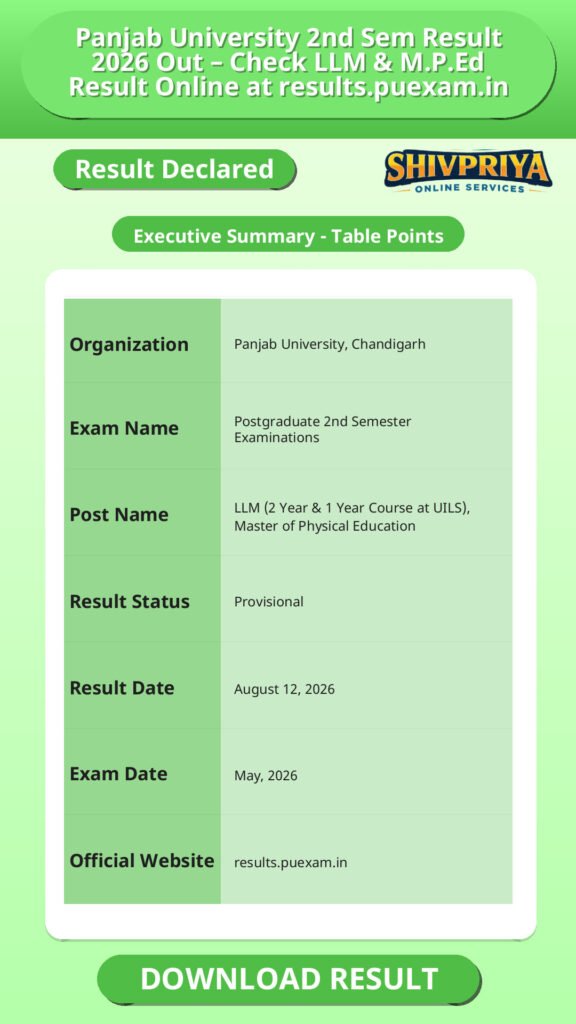
| Organization | Panjab University, Chandigarh |
|---|---|
| Exam Name | Postgraduate 2nd Semester Examinations |
| Post Name | LLM (2 Year & 1 Year Course at UILS), Master of Physical Education |
| Result Status | Provisional |
| Result Date | August 12, 2026 |
| Exam Date | May, 2026 |
| Official Website | results.puexam.in |
Exam Details and Courses Covered
इस भाग में 2nd Semester के उन कोर्सों की जानकारी है जिनके परिणाम हाल ही में घोषित हुए हैं।
Panjab University, Chandigarh has declared the LLM (2 Year Course, UILS) 2nd Semester, LLM (UILS, One Year Course) 2nd Semester, and Master of Physical Education 2nd Semester results for the May 2026 examination session on August 12, 2026. Check your PU LLM and M.P.Ed. result online at results.puexam.in, see the direct result links, how to check your marksheet, and answers to common questions.
Panjab University, Chandigarh has declared the 2nd Semester results for three postgraduate programmes from the May 2026 examination session. The results were published on the official result portal, results.puexam.in, on August 12, 2026. Candidates who appeared in these examinations can check and download their provisional result online using the direct links given below.
Courses Covered in This Result Update
- Master of Laws (LLM 2 Year Course at UILS) – 2nd Semester: the two-year LLM programme offered through the University Institute of Legal Studies (UILS), Panjab University.
- Master of Laws [UILS] (LLM One Year Course) – 2nd Semester: the one-year LLM programme offered through UILS, Panjab University.
- Master of Physical Education – 2nd Semester: the postgraduate physical education programme at Panjab University.
How To Check Result Online
इस सेक्शन में Panjab University के ऑफिशियल पोर्टल पर अपने 2nd Semester LLM और M.P.Ed परिणाम कैसे चेक करें, इसकी पूरी प्रक्रिया बताई गई है।
Follow these steps to check your result on the official Panjab University result portal:
- Visit the official Panjab University result portal at results.puexam.in
- Under “Semester Results” on the homepage, select April/May, 2026.
- From the “Course” dropdown, select PG.
- From the list of declared results, click on the relevant link:
- Master of Laws (LLM 2 Year Course at UILS) 2nd Semester Examination (August 12 2026) – May, 2026
- Master of Laws [UILS] (LLM One Year Course) 2nd Semester Examination (August 12 2026) – May, 2026
- Master of Physical Education 2nd Semester Examination (August 12 2026) – May, 2026
- On the result page that opens, enter the required detail in the text box provided (the portal’s result page asks candidates to enter a value in a text field to retrieve their result; the official source does not label this field explicitly, so candidates should enter their roll number as prompted on the page).
- Submit the form to view your result.
- Download or take a screenshot/printout of your provisional result for your records.
Important Instructions for Candidates
इस सेक्शन में उम्मीदवारों के लिए परिणाम चेक करते समय और बाद में ध्यान रखने वाले महत्वपूर्ण निर्देश दिए गए हैं।
- The result declared on results.puexam.in is provisional. Official marksheets/degrees are issued separately by the university as per its standard process.
- Keep your roll number and course details handy before visiting the result portal.
- Cross-check the course name and semester carefully before clicking a result link, since Panjab University publishes multiple courses and semesters on the same page.
- Save a copy of your result for future reference, including for admission, promotion, or verification purposes.
Important Dates and Links
इस सेक्शन में परीक्षाओं के परिणाम घोषित होने की तारीख और संबंधित महत्वपूर्ण लिंक उपलब्ध कराए गए हैं।
| Course | Result Declaration Date | Examination Session | Link |
|---|---|---|---|
| Master of Laws (LLM 2 Year Course at UILS) – 2nd Semester | August 12, 2026 | May, 2026 | Click Here |
| Master of Laws [UILS] (LLM One Year Course) – 2nd Semester | August 12, 2026 | May, 2026 | Click Here |
| Master of Physical Education – 2nd Semester | August 12, 2026 | May, 2026 | Click Here |
FAQs
यहाँ Panjab University के 2nd Semester LLM और M.P.Ed परिणाम से जुड़े सामान्य प्रश्नों के उत्तर दिए गए हैं।
- Q1. When was the Panjab University LLM 2nd Semester result 2026 declared?
- The result for both the LLM (2 Year Course at UILS) 2nd Semester and the LLM [UILS] (One Year Course) 2nd Semester, for the May 2026 examination session, was declared on August 12, 2026, as shown on the official result portal, results.puexam.in.
उत्तर: पंजाब विश्वविद्यालय ने LLM (2 Year Course at UILS) और LLM (One Year Course) दोनों के 2nd Semester के परिणाम 12 अगस्त 2026 को घोषित किए हैं।
- Q2. When was the Panjab University M.P.Ed. 2nd Semester result 2026 declared?
- The Master of Physical Education 2nd Semester result for the May 2026 session was also declared on August 12, 2026, on results.puexam.in.
उत्तर: M.P.Ed. 2nd Semester का परिणाम भी 12 अगस्त 2026 को घोषित किया गया।
- Q3. Where can I check my Panjab University LLM or M.P.Ed. result?
- You can check your result on the official Panjab University result portal at results.puexam.in. Select the April/May, 2026 semester session, choose PG as the course, and click on your specific course and semester link.
उत्तर: आप अपना परिणाम results.puexam.in पर जाकर देख सकते हैं।
- Q4. Is this LLM result for the 2-year course, the 1-year course, or both?
- Both. Panjab University has released separate results for the LLM (2 Year Course at UILS) 2nd Semester and the LLM [UILS] (One Year Course) 2nd Semester. Make sure you click the correct link for your specific programme.
उत्तर: यह परिणाम दोनों LLM कोर्स के लिए हैं – 2 साल और 1 साल के। सही लिंक पर क्लिक करना आवश्यक है।
- Q5. What do I need to check my result online?
- The official result page asks you to enter a value (your roll number, as indicated on the page) in a text box to view your result. The source does not confirm whether any other detail is required.
उत्तर: परिणाम देखने के लिए आपको रोल नंबर दर्ज करना होगा, जैसा कि रिजल्ट पेज पर संकेत दिया गया है।
Next Stage Guidance
परिणाम देखने के बाद उम्मीदवारों को आगे की प्रक्रिया समझने के लिए यह सेक्शन मदद करेगा।
- अपने परिणाम की प्रिंटआउट या स्क्रीनशॉट को सुरक्षित रखें।
- यदि आप पास हो जाते हैं, तो आगे की कक्षाओं या एडमिशन प्रक्रिया के लिए विश्वविद्यालय से संपर्क करें।
- यदि रिजल्ट में कोई गलती लगे तो समय रहते विश्वविद्यालय के संबंधित विभाग से संपर्क करें।
- अगले सेमेस्टर की तैयारी और आवश्यक दस्तावेज़ तैयार रखें।
Document Verification Tips
यहां दस्तावेज़ सत्यापन प्रक्रिया के लिए कुछ महत्वपूर्ण सुझाव दिए गए हैं जो उम्मीदवारों के लिए उपयोगी होंगे।
- सभी आवश्यक दस्तावेज़ जैसे मार्कशीट, पहचान पत्र, और प्रवेश पत्र साथ रखें।
- दस्तावेज़ों की फोटोकॉपी और ओरिजिनल दोनों लेकर जाएं।
- सत्यापन के दौरान विश्वविद्यालय द्वारा बताई गई सभी प्रक्रियाओं का पालन करें।
- समय से पहले सत्यापन केंद्र पर पहुंचें ताकि किसी प्रकार की दिक्कत न हो।
Common Result Mistakes
अक्सर उम्मीदवार रिजल्ट चेक करते समय या परिणाम को लेकर जो सामान्य गलतियां करते हैं, उनके बारे में जानकारी।
- गलत रोल नंबर दर्ज करना जिससे परिणाम न दिखे।
- गलत कोर्स या सेमेस्टर के लिंक पर क्लिक करना।
- रिजल्ट को डाउनलोड या सेव न करना।
- प्रोविजनल रिजल्ट को अंतिम परिणाम समझ लेना।
“`
Related Categories
Disclaimer
Yeh job post sirf informational purpose ke liye banayi gayi hai taaki aapko recruitment ki details simple aur samajhne layak format me mil sake.
Time ke saath details me changes ho sakte hain (jaise dates, vacancies, eligibility, etc.). Isliye apply karne se pehle official notification ko zarur verify karein.
Hum kisi bhi typing error, outdated information ya misunderstanding ke liye zimmedar nahi honge.