
Palamuru University LLB I & III Sem Result 2026 Out – Check Online with Hall Ticket Number
Loading contents...
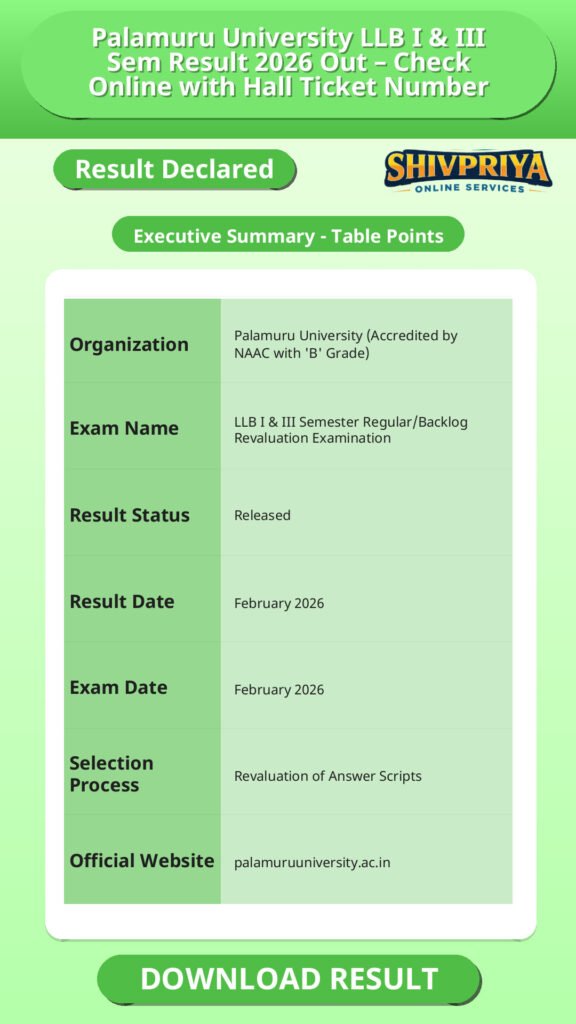
Result Summary
Palamuru University ने LLB I और III Semester के Regular/Backlog Revaluation Result, February-2026 जारी कर दिए हैं। यह रिजल्ट विशेष रूप से उन छात्रों के लिए है जिन्होंने फरवरी 2026 की परीक्षा के लिए revaluation आवेदन किया था। इस रिजल्ट में re-checking के बाद revised marks दिखाए गए हैं। उम्मीदवार hall ticket number से रिजल्ट ऑनलाइन चेक कर सकते हैं।
Result Details and Purpose
इस section में Result के उद्देश्य और इसकी विशेषता के बारे में जानकारी दी गई है। उम्मीदवार समझ सकते हैं कि यह Result किन छात्रों के लिए है और इसका महत्व क्या है।
This result is specifically for candidates who submitted a revaluation application for their LLB I Semester or III Semester Regular/Backlog theory papers from the February-2026 examination cycle. A revaluation result reflects the marks after the answer script has been re-checked, and it may confirm the original marks or show revised marks depending on the outcome of the re-evaluation.
Palamuru University typically follows a general policy for revaluation results: memos of candidates whose results have changed after revaluation are forwarded to the college Principal, while in other cases no separate intimation is sent, and results are not communicated by post. Candidates are advised to confirm their own updated status directly through the result portal or their college examination cell rather than waiting for a physical communication.
How To Check Result
इस section में candidates को online Result कैसे चेक करना है उसकी पूरी प्रक्रिया सरल भाषा में बताई गई है। उम्मीदवार नीचे दिए गए steps का पालन करके अपना Result आसानी से देख सकते हैं।
- Visit the official result link: results.palamuruuniversity.com/Results/Result/GetGrade/hGD4TfK3Otk=
- On the result page, enter your Hall Ticket Number in the given field (example format shown on the portal: 17044126457001).
- Select the correct option from the Year/Sem dropdown: choose either “RV_I Sem-Reg./Backlog” or “RV_III Sem-Reg./Backlog” depending on your semester.
- Click the submit/view result button to display your revaluation grade card.
- Check your name, hall ticket number, subject-wise marks, and overall result status carefully.
- Download or take a printout of the result page for your academic records.
Details Required to Check the Result
| Field | What to Enter |
| Hall Ticket Number | Your unique exam hall ticket number (example pattern: 17044126457001) |
| Year/Sem Dropdown | RV_I Sem-Reg./Backlog or RV_III Sem-Reg./Backlog |
Alternative Ways to Access Result
अगर direct लिंक काम नहीं करता है तो उम्मीदवार official Notifications page से भी अपना Result देख सकते हैं। नीचे alternative तरीका दिया गया है।
- Go to palamuruuniversity.com/Notifications.
- Scroll to the “Results” section on the page.
- Click on “LLB I, III Sem Reg./Backlog Revaluation Results Feb-2026”.
- You will be redirected to the result portal; follow the steps above to view your marks.
Important Instructions for Students
इस section में students के लिए महत्वपूर्ण निर्देश दिए गए हैं जो Result चेक करते समय ध्यान में रखना आवश्यक हैं।
- The result displayed online is a provisional record. The original marks memo is issued later through the respective college or examination branch.
- Verify your name, hall ticket number, subject codes, and marks carefully after checking the result.
- If your result has changed after revaluation, the updated memo is generally sent to your college Principal rather than communicated to you directly by post.
- For any discrepancy in marks or personal details, contact the Palamuru University Examination Branch or your college examination cell rather than assuming an error resolves itself automatically.
- Keep a downloaded copy or printout of the result for future admission, revaluation, or verification purposes.
Important Links
नीचे Palamuru University के official links दिए गए हैं जिनसे आप Result और Notifications आसानी से प्राप्त कर सकते हैं।
| LLB I, III Sem Revaluation Result Feb-2026 (Direct Link) | Check Result |
| Palamuru University Notifications Page | View Notifications |
| Palamuru University Main Website | palamuruuniversity.ac.in |
Frequently Asked Questions (FAQs)
इस section में उम्मीदवारों द्वारा आमतौर पर पूछे जाने वाले प्रश्नों के उत्तर हिंदी में दिए गए हैं।
- Q1. How can I check my Palamuru University LLB I & III Sem revaluation result 2026?
- आप official result link पर जाकर अपना hall ticket number दर्ज करें, सही Year/Sem ऑप्शन चुनें (RV_I Sem या RV_III Sem, Regular/Backlog) और submit पर क्लिक करें। आपका revaluation marks स्क्रीन पर दिख जाएगा।
- Q2. What is this LLB result based on – regular exams or revaluation?
- यह result विशेष रूप से फरवरी 2026 की परीक्षा के लिए किए गए revaluation के लिए है, नियमित परीक्षा का नया रिजल्ट नहीं।
- Q3. What details do I need to check the result?
- आपको केवल अपना Hall Ticket Number और सही semester विकल्प (I Sem या III Sem, Regular/Backlog) सेलेक्ट करना है।
- Q4. Will my revaluation marks be sent to me by post?
- नहीं। विश्वविद्यालय की नीति के अनुसार marks पोस्ट द्वारा नहीं भेजे जाते। यदि आपके marks बदले हैं तो updated memo आपके कॉलेज प्रिंसिपल को भेजा जाता है।
- Q5. Is the online result the final marksheet?
- नहीं। ऑनलाइन रिजल्ट एक provisional record है। असली marks memo बाद में कॉलेज या विश्वविद्यालय से प्राप्त होगा।
Next Stage Guidance
यहाँ पर छात्रों को आगे की प्रक्रिया के बारे में सरल हिंदी में मार्गदर्शन दिया गया है।
- यदि आपका revaluation result में marks बढ़े हैं, तो updated marks memo के लिए अपने कॉलेज से संपर्क करें।
- अगर marks में कोई गलती लगे तो तुरंत विश्वविद्यालय के परीक्षा विभाग या कॉलेज के परीक्षा सेल से संपर्क करें।
- प्रिंट आउट या डिजिटल कॉपी को सुरक्षित रखें क्योंकि आगे के admission या verification के लिए इसकी जरूरत होगी।
Document Verification Tips
Document Verification के दौरान ध्यान रखने योग्य महत्वपूर्ण बातें हिंदी में दी गई हैं।
- अपना hall ticket number और revaluation result की प्रिंट आउट साथ रखें।
- सभी subject-wise marks और personal details ठीक से जांच लें।
- यदि कोई discrepancy मिले तो संबंधित विभाग को तुरंत सूचित करें।
- अपना original marks memo आने तक provisional result की कॉपी का उपयोग कर सकते हैं।
Common Result Mistakes
यहाँ कुछ सामान्य गलतियों के बारे में बताया गया है जिनसे बचना चाहिए।
- गलत hall ticket number दर्ज करना जिससे रिजल्ट न दिखे।
- Year/Sem विकल्प गलत चुनना।
- रिजल्ट चेक करने के बाद विवरणों की जाँच न करना।
- रिजल्ट के प्रिंट आउट या डिजिटल कॉपी को सुरक्षित न रखना।
- रिजल्ट में गलती पाए जाने पर समय पर जांच या शिकायत न करना।
“`
Related Categories
| Organization | Palamuru University (Accredited by NAAC with ‘B’ Grade) |
| Exam Name | LLB I & III Semester Regular/Backlog Revaluation Examination |
| Result Status | Released |
| Result Date | February 2026 |
| Exam Date | February 2026 |
| Selection Process | Revaluation of Answer Scripts |
| Official Website | palamuruuniversity.ac.in |
Disclaimer
Yeh job post sirf informational purpose ke liye banayi gayi hai taaki aapko recruitment ki details simple aur samajhne layak format me mil sake.
Time ke saath details me changes ho sakte hain (jaise dates, vacancies, eligibility, etc.). Isliye apply karne se pehle official notification ko zarur verify karein.
Hum kisi bhi typing error, outdated information ya misunderstanding ke liye zimmedar nahi honge.