
Mizoram University Even Semester Result 2026 – Direct Link to Download NEP & CBCS UG Result at mzu.edu.in
Loading contents...
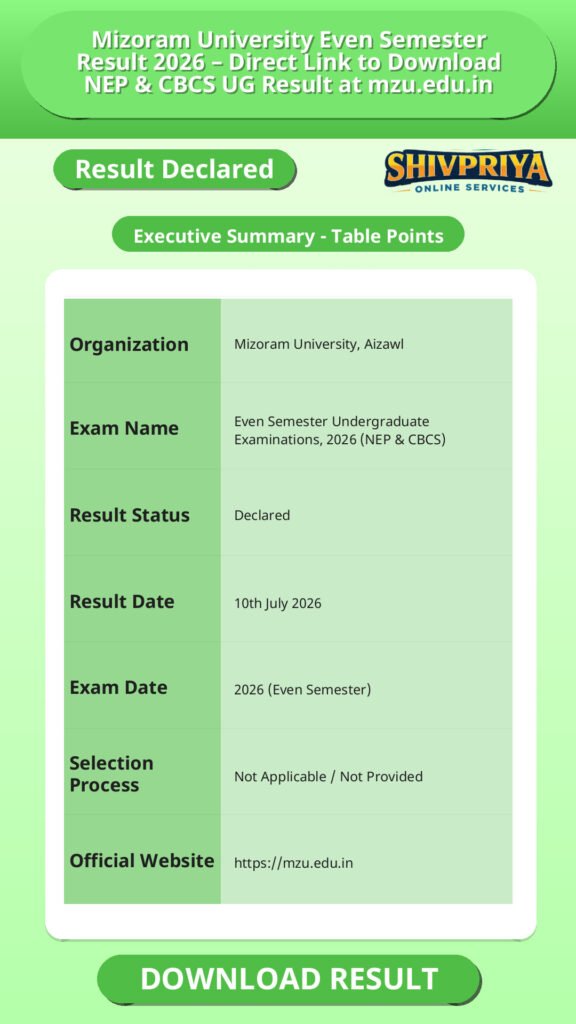
| Organization | Mizoram University, Aizawl |
|---|---|
| Exam Name | Even Semester Undergraduate Examinations, 2026 (NEP & CBCS) |
| Result Status | Declared |
| Result Date | 10th July 2026 |
| Exam Date | 2026 (Even Semester) |
| Selection Process | Not Applicable / Not Provided |
| Official Website | https://mzu.edu.in |
Result Announcement Details
इस सेक्शन में Result Declaration से संबंधित तारीख और समय की जानकारी दी गई है। उम्मीदवार जान सकते हैं कि परिणाम कब और कैसे घोषित किया गया।
Mizoram University (MZU) has officially declared the Even Semester Undergraduate Examination Result 2026 for both NEP and CBCS students. The result was announced through a Public Notice dated 8th July 2026, issued by the Controller of Examinations, and was released on 10th July 2026 at 2:00 PM.
Important Dates
- 8th July 2026 – Public notice issued announcing the result declaration schedule.
- 10th July 2026, 2:00 PM – Even Semester UG Result 2026 (NEP & CBCS) declared online.
How to Check Result
इस सेक्शन में Mizoram University Even Semester Result 2026 को ऑनलाइन चेक करने के लिए स्टेप-बाय-स्टेप प्रक्रिया दी गई है। उम्मीदवार अपने स्ट्रीम के अनुसार सही पोर्टल का उपयोग करें।
The process is different depending on whether you are enrolled under the NEP (National Education Policy) stream or the CBCS (Choice Based Credit System) stream. Use the correct portal for your programme.
For Undergraduate Programmes under NEP
- Visit the official student portal: https://mzu.ucanapply.com/student
- Click on the “Student Login” option.
- Enter your registered User ID and Password (login credentials).
- Your Even Semester Result 2026 will be displayed on the dashboard.
For Undergraduate Programmes under CBCS
- Visit the online result portal: https://14.139.209.213/OnlineResult/
- Enter your Roll Number in the given field.
- Submit to view and download your result.
Credential Requirements
| Stream | Required Credential |
|---|---|
| NEP | User ID and Password (Student Login) |
| CBCS | Roll Number |
Support for Result Issues
अगर उम्मीदवार को रिजल्ट देखने या डाउनलोड करने में समस्या आती है या रिजल्ट में कोई त्रुटि दिखती है, तो इस सेक्शन में दी गई संपर्क जानकारी से सहायता प्राप्त कर सकते हैं।
If you are unable to access or download your result, or if you notice any discrepancy in your result particulars, you can contact the Examinations Department (UG Section), Mizoram University during office hours. You can also write to the department by email for assistance.
Contact Details:
Examinations Department (UG Section), Mizoram University
Email: examug@gmail.com
General Exam Department Email: exam@mzu.edu.in
Address: Mizoram University, Aizawl – 796004
Important Instructions
इस सेक्शन में परिणाम से जुड़ी महत्वपूर्ण निर्देश दिए गए हैं जिन्हें उम्मीदवारों को ध्यानपूर्वक पढ़ना चाहिए।
- Results are available only in online mode through the two portals mentioned above – one for NEP students and a separate one for CBCS students.
- Use the correct portal based on your enrolled programme type; NEP and CBCS results are not available on a common single link.
- Keep your login credentials (for NEP) or Roll Number (for CBCS) ready before visiting the portal to avoid delays, especially during high-traffic periods right after declaration.
Direct Links
नीचे उम्मीदवारों के लिए जरूरी लिंक दिए गए हैं जिनका उपयोग वे रिजल्ट देखने और नोटिफिकेशन डाउनलोड करने के लिए कर सकते हैं।
| Purpose | Link |
|---|---|
| Official Notification PDF | Click Here |
| NEP Result – Student Login | Click Here |
| CBCS Result – Roll Number Login | Click Here |
Other Recruitment Notices
यहाँ Mizoram University के अन्य वर्तमान भर्ती अभियान की जानकारी दी गई है। उम्मीदवार इच्छुक पदों के लिए अंतिम तिथि से पहले आवेदन कर सकते हैं।
| Job Openings | Last Date | Apply Now |
|---|---|---|
| Staff Nurse and Pharmacist Jobs – 3 Posts | 17-07-2026 | View Details |
| Junior Research Fellow and Project Associate Jobs – 2 Posts | 14-07-2026 | View Details |
Frequently Asked Questions (FAQs)
इस सेक्शन में Mizoram University Even Semester Result 2026 से संबंधित सामान्य प्रश्नों के उत्तर दिए गए हैं। उम्मीदवार यहां अपनी शंकाओं का समाधान पा सकते हैं।
- Q1. When was the Mizoram University Even Semester Result 2026 declared?
- Result was declared on 10th July 2026 at 2:00 PM, as per the public notice dated 8th July 2026.
- Q2. Where can I check my Mizoram University result 2026?
- NEP students can check their result at mzu.ucanapply.com/student using Student Login, while CBCS students can check their result at the Online Result portal link by entering their Roll Number.
- Q3. What is the difference between the NEP and CBCS result process?
- NEP students need to log in using a User ID and Password through the student portal. CBCS students only need to enter their Roll Number on a separate online result portal — no login credentials are required for CBCS.
- Q4. I forgot my NEP student login password. What should I do?
- This information is not available in the official notice. Candidates facing login issues are advised to contact the Examinations Department (UG Section) at examug@gmail.com for assistance.
- Q5. Who do I contact if there is an error in my Mizoram University result?
- Candidates can contact the Examinations Department (UG Section), Mizoram University, during office hours, or write to examug@gmail.com in case of any discrepancy in their result particulars.
- Q6. Is a printed marksheet issued along with the online result?
- This information is not available in the official notice. The notice only confirms that results can be viewed and downloaded through the online portals.
Next Stage Guidance
अगले चरण की प्रक्रिया के बारे में महत्वपूर्ण जानकारी यहाँ दी गई है। उम्मीदवारों को Result के बाद क्या करना चाहिए, इसकी सलाह दी गई है।
- रिजल्ट प्राप्त करने के बाद अपने मार्कशीट को ध्यान से जांचें।
- यदि रिजल्ट में कोई त्रुटि हो तो तुरंत संबंधित विभाग से संपर्क करें।
- अगले सेमेस्टर की एडमिशन या कक्षा में शामिल होने के लिए विश्वविद्यालय की आधिकारिक सूचना का इंतजार करें।
- यदि आवश्यक हो तो विभागीय दस्तावेज और प्रमाण पत्र तैयार रखें।
Document Verification Tips
डॉक्यूमेंट वेरीफिकेशन के दौरान ध्यान रखने योग्य महत्वपूर्ण बिंदु यहाँ दिए गए हैं।
- सभी आवश्यक दस्तावेज़ जैसे मार्कशीट, पहचान पत्र और दाखिला फॉर्म साथ रखें।
- दस्तावेज़ों की फोटोकॉपी साथ लेकर आएं।
- डॉक्यूमेंट वेरीफिकेशन की तारीख और समय को ध्यानपूर्वक नोट करें।
- यदि कोई दस्तावेज़ अधूरा या गलत हो तो उसे पहले सुधार लें।
Common Result Mistakes
रिजल्ट चेक करते समय सामान्य गलतियों से बचने के लिए इस सेक्शन में सुझाव दिए गए हैं।
- गलत पोर्टल पर लॉगिन करने से बचें।
- अपने User ID, Password या Roll Number सही ढंग से दर्ज करें।
- रिजल्ट डाउनलोड करते समय इंटरनेट कनेक्शन की जांच करें।
- रिजल्ट के विवरण को ध्यान से पढ़ें और किसी भी विसंगति पर तुरंत शिकायत करें।
“`
Related Categories
Disclaimer
Yeh job post sirf informational purpose ke liye banayi gayi hai taaki aapko recruitment ki details simple aur samajhne layak format me mil sake.
Time ke saath details me changes ho sakte hain (jaise dates, vacancies, eligibility, etc.). Isliye apply karne se pehle official notification ko zarur verify karein.
Hum kisi bhi typing error, outdated information ya misunderstanding ke liye zimmedar nahi honge.