
BITSAT 2026 Iteration 9 Seat Allotment Result Released – Complete Details and Next Steps
Loading contents...
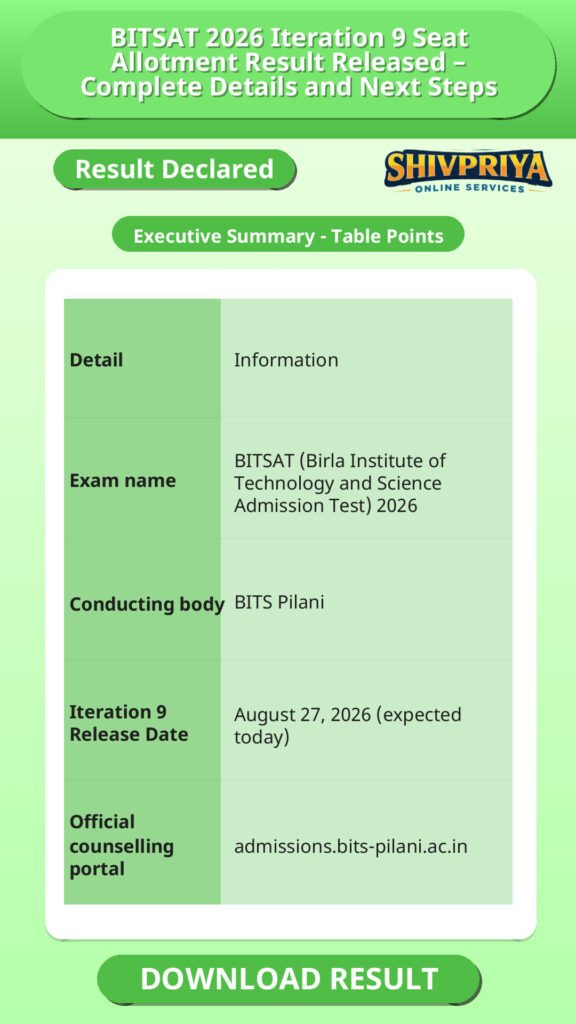
| Detail | Information |
|---|---|
| Exam name | BITSAT (Birla Institute of Technology and Science Admission Test) 2026 |
| Conducting body | BITS Pilani |
| Iteration 9 Release Date | August 27, 2026 (expected today) |
| Official counselling portal | admissions.bits-pilani.ac.in |
Notification Content
इस section में BITSAT 2026 Iteration 9 seat allotment result से संबंधित आधिकारिक सूचना दी गई है। उम्मीदवार यहां परिणाम जारी होने और संबंधित विवरण जान सकते हैं।
BITS Pilani has released the Iteration 9 seat allotment result for BITSAT 2026 admissions on the official counselling portal, admissions.bits-pilani.ac.in. Candidates who are on the waiting list from earlier rounds can log in with their application number and password to check whether they have been allotted a seat in this round, across the Pilani, Goa, and Hyderabad campuses.
Important Dates – BITSAT 2026 Iteration Schedule
इस section में BITSAT 2026 की विभिन्न iteration के परिणाम तिथि, शुल्क भुगतान की अंतिम तिथि और कैंपस रिपोर्टिंग डेट दी गई हैं।
| Iteration | Result Date | Fee Payment Deadline | Campus Reporting Date |
|---|---|---|---|
| Iteration 7 | August 19, 2026 | August 21, 2026 (5:00 PM) | August 22, 2026 |
| Iteration 8 | August 23, 2026 | August 25, 2026 | August 26, 2026 |
| Iteration 9 | Announced | August 27, 2026 (expected today) | – |
How to Check BITSAT 2026 Iteration 9 Result: Step-by-Step
इस section में उम्मीदवारों को BITSAT 2026 Iteration 9 के परिणाम को ऑनलाइन चेक करने के लिए आवश्यक चरणों की जानकारी दी गई है।
- Visit the official BITS admission portal: admissions.bits-pilani.ac.in.
- Look for the “Iteration 9 Result” or “Seat Allotment” link on the homepage or candidate dashboard.
- Log in using your application number and the password sent to your registered email/mobile for this counselling round (note: passwords from earlier iterations may not work for later rounds).
- Your allotment status will be displayed – either the allotted programme, campus, and branch, or your current waiting-list position.
- If allotted a seat, note the exact fee amount and the deadline shown on your dashboard.
- Download and save the allotment result/letter for future reference and document verification.
What Information Appears on the Iteration 9 Result
इस section में Iteration 9 के परिणाम में प्रदर्शित होने वाली महत्वपूर्ण जानकारी सूचीबद्ध है।
- Candidate’s name and application number
- BITSAT 2026 score/rank considered for allotment
- Allotted campus (Pilani, Goa, or Hyderabad), programme, and branch – if allotted
- Waiting-list status – if not allotted
- Fee amount payable and the payment deadline (candidate-specific)
- Reporting instructions, if a seat has been allotted
What to Do After Getting the Iteration 9 Result
इस section में उम्मीदवारों को Iteration 9 परिणाम मिलने के बाद क्या-क्या कदम उठाने चाहिए, इसकी विस्तृत जानकारी दी गई है।
- If allotted a seat: Accept the offer on the portal, choose your acceptance option (such as Freeze, Float, or Slide, where applicable), and complete the fee payment before the deadline shown on your dashboard.
- Report to the allotted campus on the date specified, carrying all required original documents for verification.
- If still on the waiting list: Continue monitoring the portal for subsequent iteration results, as seats can still open up from other candidates’ withdrawals or upgrades.
Important Instructions for Candidates
इस section में उम्मीदवारों के लिए महत्वपूर्ण निर्देश दिए गए हैं, जो Iteration 9 के दौरान ध्यान में रखने आवश्यक हैं।
- Passwords are often reset for each new iteration – use the latest password sent to your registered email, not an older one.
- Missing the fee payment or reporting deadline typically results in automatic forfeiture of the allotted seat, with no reinstatement.
- Set your bank’s online transaction limit above the required fee amount in advance to avoid payment failures close to the deadline.
- Fee payment is accepted only through the official portal’s listed modes (net banking, debit card, credit card, UPI) – payments made any other way are not valid.
- Always cross-check your specific deadline on your own dashboard rather than assuming it matches a previous iteration’s schedule.
Important Links
नीचे BITSAT 2026 Iteration 9 से संबंधित आधिकारिक लिंक दिए गए हैं, जिनका उपयोग उम्मीदवार परिणाम देखने और अन्य जानकारी प्राप्त करने के लिए कर सकते हैं।
FAQ
When was the BITSAT 2026 Iteration 9 result released?
BITS Pilani will release the Iteration 9 seat allotment result on the official admission portal, admissions.bits-pilani.ac.in on 27 August 2026 (expected today).
How do I check my BITSAT 2026 Iteration 9 result?
Log in to admissions.bits-pilani.ac.in using your application number and the password issued for this round. Your allotment status will appear on the dashboard.
What is the fee payment deadline for BITSAT 2026 Iteration 9?
The exact fee payment deadline for Iteration 9 is candidate-specific and is displayed on each applicant’s own login dashboard. It has not been published as a single fixed date across all candidates, so check your dashboard directly rather than relying on previous iterations’ timelines.
What happens if I don’t get a seat in Iteration 9?
If you remain on the waiting list after Iteration 9, you should continue checking the portal for subsequent iterations, as seats can still open up due to withdrawals, non-payment, or upgrades by other candidates.
What documents do I need if I get allotted a seat in Iteration 9?
You will typically need your BITSAT admit card and scorecard, Class 10 and Class 12 mark sheets and passing certificates, the seat allotment letter, fee payment receipt, and any category certificates applicable to you. The complete list is shown on your individual dashboard.
इस section में BITSAT 2026 Iteration 9 से जुड़े सामान्य प्रश्न और उनके उत्तर दिए गए हैं, जो उम्मीदवारों की शंकाओं को दूर करने में मदद करेंगे।
Next Stage Guidance
इस section में उम्मीदवारों को अगले चरण की प्रक्रिया के बारे में हिंदी में स्पष्ट निर्देश दिए गए हैं ताकि वे सही तरीके से आगे बढ़ सकें।
- यदि आपको सीट आवंटित हुई है, तो तुरंत पोर्टल पर लॉग इन करके सीट को स्वीकार करें और फीस का भुगतान निर्धारित समय तक करें।
- फीस भुगतान के बाद, अपने आवंटित कैंपस में रिपोर्ट करें और सभी आवश्यक दस्तावेज लेकर जाएं।
- अगर आप अभी भी वेटिंग लिस्ट पर हैं, तो निरंतर पोर्टल पर अपडेट चेक करते रहें क्योंकि आगे की iterations में सीट मिल सकती है।
Document Verification Tips
इस section में Document Verification के दौरान ध्यान रखने योग्य महत्वपूर्ण सुझाव हिंदी में दिए गए हैं जो उम्मीदवारों के लिए उपयोगी होंगे।
- अपने सभी मूल दस्तावेज जैसे BITSAT एडमिट कार्ड, मार्कशीट, पासिंग सर्टिफिकेट, सीट आवंटन पत्र और फीस रसीद साथ लेकर जाएं।
- सभी दस्तावेजों की फोटोकॉपी पहले से तैयार रखें ताकि जरूरत पड़ने पर प्रस्तुत कर सकें।
- डॉक्यूमेंट वेरिफिकेशन के लिए समय पर पहुंचें और सभी निर्देशों का पालन करें।
- अगर कोई दस्तावेज़ अधूरा या गलत पाया जाता है तो आपका दाखिला खतरे में पड़ सकता है, इसलिए सावधानी बरतें।
Common Result Mistakes
इस section में उम्मीदवारों द्वारा परिणाम जांचते समय आमतौर पर होने वाली गलतियों के बारे में हिंदी में बताया गया है ताकि वे उनसे बच सकें।
- पुराने iteration के password का उपयोग करना जो इस round के लिए मान्य नहीं होता।
- फीस भुगतान और रिपोर्टिंग की अंतिम तिथि को अनदेखा करना जिससे सीट फॉरफिट हो सकती है।
- गलत वेबसाइट या लिंक पर जाकर परिणाम देखने की कोशिश करना।
- आवंटित सीट या फीस की जानकारी को ध्यान से न पढ़ना।
- डॉक्यूमेंट वेरिफिकेशन के लिए जरूरी दस्तावेज नहीं लेकर जाना।
Disclaimer
Yeh job post sirf informational purpose ke liye banayi gayi hai taaki aapko recruitment ki details simple aur samajhne layak format me mil sake.
Time ke saath details me changes ho sakte hain (jaise dates, vacancies, eligibility, etc.). Isliye apply karne se pehle official notification ko zarur verify karein.
Hum kisi bhi typing error, outdated information ya misunderstanding ke liye zimmedar nahi honge.