
Anna University Results 2026 Out – Direct Link to Check UG & PG Semester Results at coe1.annauniv.edu
Loading contents...
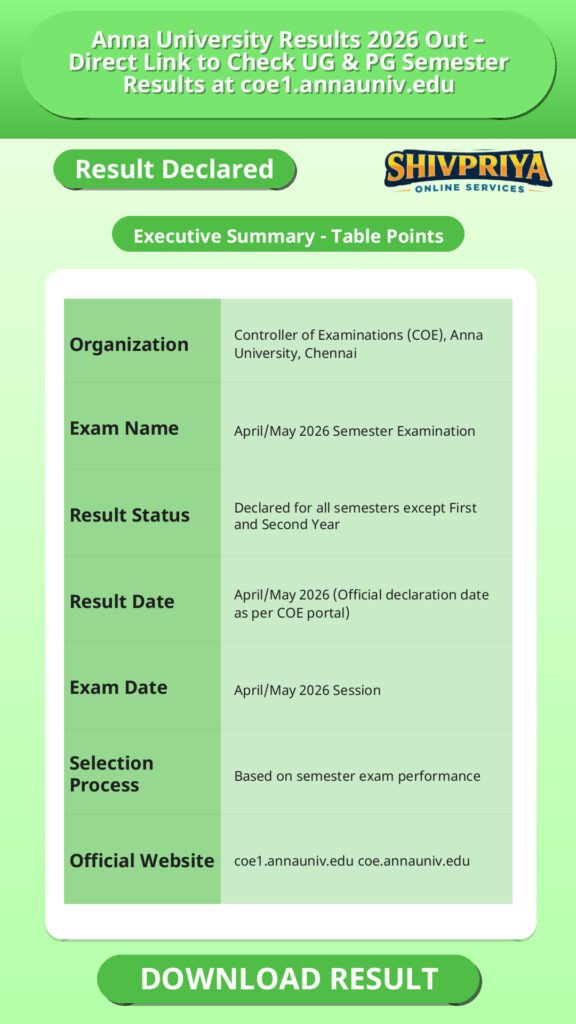
| Organization | Controller of Examinations (COE), Anna University, Chennai |
|---|---|
| Exam Name | April/May 2026 Semester Examination |
| Result Status | Declared for all semesters except First and Second Year |
| Result Date | April/May 2026 (Official declaration date as per COE portal) |
| Exam Date | April/May 2026 Session |
| Selection Process | Based on semester exam performance |
| Official Website | coe1.annauniv.edu coe.annauniv.edu |
Eligible Candidates and Programs
इस भाग में Anna University के April/May 2026 परिणाम देखने वाले उम्मीदवारों और संबंधित प्रोग्राम्स की जानकारी दी गई है।
The April/May 2026 result is applicable to students of Anna University-affiliated colleges who appeared for the even semester examinations, including:
- BE / BTech (Undergraduate Engineering)
- ME / MTech (Postgraduate Engineering)
- B.Arch / M.Arch
- MBA and MCA
- Other UG/PG programmes affiliated with Anna University, except First and Second Year candidates, whose results follow a separate schedule
How to Check Results Online
इस section में Anna University के official portal पर results कैसे देखे और डाउनलोड करें, इसकी step-by-step प्रक्रिया बताई गई है।
- Visit the official Controller of Examinations portal at coe1.annauniv.edu and coe.annauniv.edu.
- On the homepage, locate the notice link for “April/May 2026 Examination Results.”
- Click on the result link for your programme (UG/PG) and semester.
- Enter your 12-digit Registration Number as printed on your hall ticket.
- Enter your Date of Birth in the specified format (DD-MM-YYYY).
- Enter the captcha code shown on the screen.
- Click “Submit” or “Get Result” to proceed.
- Your result will display subject-wise marks, grades, grade points, and CGPA.
- Download and save the scorecard/marksheet as PDF for future reference.
Details Required to Access Result
इस भाग में Anna University के results देखने के लिए जरूरी विवरण बताए गए हैं।
- 12-digit Registration Number (printed on the hall ticket)
- Date of Birth (in DD-MM-YYYY format)
- A stable internet connection to access the COE portal, which can experience heavy traffic on result day
In Case Result Is Not Displayed
यदि आपका result पोर्टल पर नहीं दिख रहा है तो आपको क्या करना चाहिए, इसका विवरण नीचे दिया गया है।
- Confirm whether your specific semester’s result has been officially announced on the COE portal notice board.
- Recheck that your Registration Number and Date of Birth are entered correctly.
- Wait and retry later, as the portal may be slow due to heavy traffic on result day.
- Contact your college examination cell for confirmation on result status or any withheld/pending results.
Important Instructions for Students
इस section में Anna University के results के बाद उम्मीदवारों के लिए जरूरी निर्देश दिए गए हैं।
- Cross-check all subject-wise marks and grades carefully after downloading the scorecard.
- The online scorecard is provisional; the original consolidated marksheet/grade sheet is issued by the respective college or university at a later date.
- Keep a downloaded/printed copy of the result for admission, placement, or higher-education purposes.
- For discrepancies in marks, students should approach their college examination cell for revaluation or retotaling procedures, as applicable.
Important Links
इस section में Anna University के result checking से जुड़ी official links दी गई हैं।
Frequently Asked Questions (FAQs)
यहाँ Anna University Results 2026 से संबंधित आम प्रश्न और उनके उत्तर दिए गए हैं।
- Q1. How can I check my Anna University result 2026?
- आप अपना result coe1.annauniv.edu या coe.annauniv.edu पर जाकर Registration Number और Date of Birth डालकर देख सकते हैं। इसके अलावा STUCOR मोबाइल ऐप से भी result चेक किया जा सकता है।
- Q2. Is the First Year and Second Year result also declared in this release?
- नहीं। आधिकारिक सूचना के अनुसार April/May 2026 के results First और Second Year के लिए नहीं हैं, ये अलग से जारी किए जाएंगे।
- Q3. What details do I need to check my Anna University result?
- आपको अपना 12-digit Registration Number जो आपके hall ticket पर प्रिंट होता है और Date of Birth (DD-MM-YYYY फॉर्मेट में) चाहिए।
- Q4. My Anna University result is not showing. What should I do?
- पहले अपने login details की सहीता जांचें, देखें कि आपका semester का result घोषित हुआ है या नहीं, कुछ समय बाद पुनः प्रयास करें क्योंकि server पर लोड हो सकता है, या अपने कॉलेज के exam सेल से संपर्क करें।
- Q5. Can I check Anna University PG results (ME/MTech/MBA/MCA) on the same portal?
- हाँ, ME, MTech, M.Arch, MBA, MCA जैसे PG प्रोग्राम्स के results भी इसी COE portal पर UG results के साथ प्रकाशित होते हैं।
Next Stage Guidance
Anna University Results देखने के बाद आगे की प्रक्रिया के लिए यहाँ कुछ सुझाव दिए गए हैं।
- रिजल्ट डाउनलोड करने के बाद मार्कशीट की कॉपी संभाल कर रखें क्योंकि यह एडमिशन या प्लेसमेंट के लिए आवश्यक होगी।
- यदि परिणाम में कोई त्रुटि लगे तो जल्द से जल्द कॉलेज के परीक्षा विभाग से संपर्क कर पुनर्मूल्यांकन के लिए आवेदन करें।
- आगे के सेमेस्टर की तैयारी शुरू करें और विश्वविद्यालय द्वारा जारी होने वाली अगली सूचना का इंतजार करें।
Document Verification Tips
यहाँ Anna University के दस्तावेज़ सत्यापन प्रक्रिया के लिए महत्वपूर्ण सुझाव दिए गए हैं।
- अपनी सभी आधिकारिक मार्कशीट और पहचान पत्र तैयार रखें।
- कॉलेज द्वारा जारी किए गए मूल प्रमाणपत्रों की प्रतियाँ भी साथ लेकर जाएँ।
- सत्यापन के दौरान सभी दस्तावेज़ सही और पूर्ण होने चाहिए।
- यदि कोई दस्तावेज़ अधूरा हो तो उसे समय रहते पूरा करें।
Common Result Mistakes
यहाँ कुछ सामान्य गलतियाँ दी गई हैं जो result checking में हो सकती हैं और उनसे बचने के उपाय।
- गलत Registration Number या Date of Birth डालना जिससे result न दिखे।
- कैप्चा को सही तरीके से न भरना।
- भारी ट्रैफिक के कारण पोर्टल का धीमा चलना, जिससे परिणाम न दिखना।
- रिजल्ट डाउनलोड किए बिना स्क्रीनशॉट न लेना।
“`
Related Categories
Disclaimer
Yeh job post sirf informational purpose ke liye banayi gayi hai taaki aapko recruitment ki details simple aur samajhne layak format me mil sake.
Time ke saath details me changes ho sakte hain (jaise dates, vacancies, eligibility, etc.). Isliye apply karne se pehle official notification ko zarur verify karein.
Hum kisi bhi typing error, outdated information ya misunderstanding ke liye zimmedar nahi honge.