
MJPRU Result 2026: How to Check Mahatma Jyotiba Phule Rohilkhand University Exam Results Online
Loading contents...
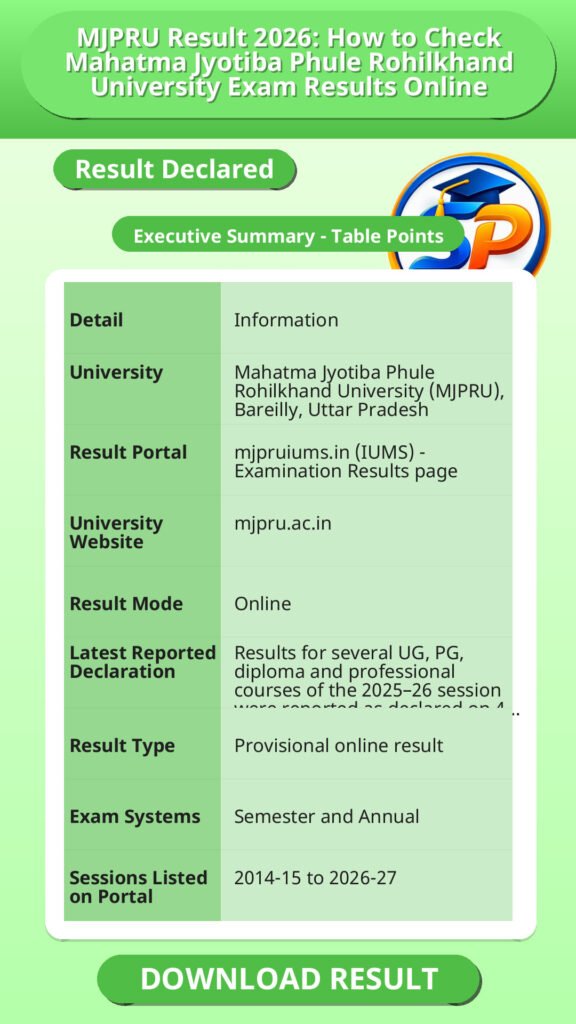
Mahatma Jyotiba Phule Rohilkhand University (MJPRU), Bareilly, publishes student results through its Integrated University Management System (IUMS) portal. This guide explains where to check the MJPRU result 2026, which result types are available, and what to do if something looks wrong.
MJPRU के छात्र अपना रिजल्ट ऑनलाइन आधिकारिक IUMS पोर्टल पर देख सकते हैं। यह सुविधा छात्रों को उनके विभिन्न कोर्सों के परीक्षा परिणाम तुरंत उपलब्ध कराती है।
Direct Link to Check MJPRU Result 2026
Source
Vacancy/Update Name: MJPRU Result 2026 – Quick Overview | Official Website: https://mjpru.ac.in/
MJPRU Result 2026 – Quick Overview
| Detail | Information |
|---|---|
| University | Mahatma Jyotiba Phule Rohilkhand University (MJPRU), Bareilly, Uttar Pradesh |
| Result Portal | mjpruiums.in (IUMS) – Examination Results page |
| University Website | mjpru.ac.in |
| Result Mode | Online |
| Latest Reported Declaration | Results for several UG, PG, diploma and professional courses of the 2025–26 session were reported as declared on 4 August 2026 |
| Result Type | Provisional online result |
| Exam Systems | Semester and Annual |
| Sessions Listed on Portal | 2014-15 to 2026-27 |
यह सारांश बताता है कि MJPRU का रिजल्ट ऑफिशियल वेबसाइट और IUMS पोर्टल पर ऑनलाइन उपलब्ध होता है, जिसमें सेमेस्टर और एनुअल दोनों सिस्टम के UG, PG, डिप्लोमा और प्रोफेशनल कोर्स के परिणाम शामिल हैं। परिणाम अस्थायी (प्रोविजनल) होते हैं और 2014 से 2027 तक के सेशंस के लिए रिजल्ट देखा जा सकता है।
How to Check MJPRU Result 2026 Online
- Open the official portal, mjpruiums.in, or go to mjpru.ac.in and follow the result link.
- Open the Examination Results page.
- Select the Result Type (for example, Main Result).
- Select the Academic Session (for example, 2025–2026).
- Select the Degree Type: Semester or Annual.
- Select the Course category: UG, PG, UG Diploma, PG Diploma or Ph.D.
- Select your Degree from the list that appears.
- Enter the requested details, such as your roll number, and submit.
- View your result and download or print it for your records.
रिजल्ट देखने के लिए सही सेशन, रिजल्ट टाइप, डिग्री टाइप, और कोर्स का चयन करना जरूरी है। रोल नंबर जैसे जरूरी विवरण भरकर छात्र अपना रिजल्ट ऑनलाइन देख सकते हैं और इसे डाउनलोड या प्रिंट कर सकते हैं।
Important Instructions for Students
- Select the correct options. Choose the right result type, academic session, degree type, course and degree before submitting. A wrong selection is a common reason a result does not appear.
- Use only official websites. Check your result on mjpruiums.in or mjpru.ac.in. Do not share your roll number or personal details on unofficial or copied websites.
- Verify every detail. Check your name, roll number, course, semester or year, subject-wise marks, total marks and result status as soon as the result opens.
- Report mistakes quickly. If you find an error in your personal details or marks, contact your college or the university examination department immediately.
- Keep a copy and collect the original. Download or print your provisional result, and collect the original marksheet from your college or department once the university issues it. Also follow the official notices for challenge evaluation, improvement or back paper exams.
छात्रों को सही विकल्प चुनना चाहिए और केवल आधिकारिक वेबसाइट पर ही रिजल्ट देखना चाहिए। रिजल्ट आने के बाद अपनी सभी जानकारी और अंक सही जांच लें। यदि कोई गलती मिले तो तुरंत कॉलेज या यूनिवर्सिटी से संपर्क करें। अस्थायी रिजल्ट को डाउनलोड कर रखें और मूल मार्कशीट कॉलेज से प्राप्त करें।
MJPRU Result 2026 – Important Links
रिजल्ट देखने और यूनिवर्सिटी की आधिकारिक जानकारी के लिए ये लिंक उपयोगी हैं। ये लिंक विश्वसनीय स्रोत हैं जहां से छात्र अपने परिणाम और संबंधित सूचना पा सकते हैं।
MJPRU Result 2026 – FAQs
Q1. Where can I check the MJPRU result 2026?
You can check it on the official IUMS portal at mjpruiums.in by opening the Examination Results page. The university website is mjpru.ac.in.
Q2. How do I check my MJPRU result with roll number?
Open the Examination Results page, select result type, session, degree type, course and degree, then enter the details the portal asks for, such as your roll number.
Q3. Which courses are covered in the MJPRU result?
Reports mention B.A, B.Sc, B.Com, M.A, M.Sc, M.Com, diploma and professional courses. The portal also lists UG, PG, UG Diploma, PG Diploma and Ph.D. as course categories.
Q4. Can I download the MJPRU marksheet online?
You can view and download the provisional result online. The original marksheet is issued by the university and collected through your college or department.
Q5. What is the difference between Main Result and Supplementary/Back Result?
Main Result is for the regular exam. Supplementary/Back Result is for students who appeared in a back or supplementary exam.
MJPRU के रिजल्ट आधिकारिक IUMS पोर्टल पर रोल नंबर के जरिए चेक किए जा सकते हैं। रिजल्ट में UG, PG, डिप्लोमा, और प्रोफेशनल कोर्स शामिल हैं। अस्थायी रिजल्ट डाउनलोड किया जा सकता है, लेकिन असली मार्कशीट कॉलेज से प्राप्त करनी होती है। मेन रिजल्ट सामान्य परीक्षा के लिए होता है जबकि सप्लीमेंट्री रिजल्ट उन छात्रों के लिए होता है जिन्होंने बैक या सप्लीमेंट्री परीक्षा दी हो।
Additional Useful Information for MJPRU Students
MJPRU के छात्र अपने रिजल्ट चेक करते समय सही सेशन, कोर्स और डिग्री टाइप का चयन करके गलती से बच सकते हैं। रिजल्ट पोर्टल पर व्यक्तिगत जानकारी साझा करते समय सावधानी बरतनी चाहिए। रिजल्ट की गलतियों को तुरंत रिपोर्ट करना जरूरी है ताकि समय पर सुधार हो सके। अस्थायी रिजल्ट डाउनलोड कर सुरक्षित रख लें और ऑफिशियल नोटिसों पर ध्यान दें, खासकर यदि आपको इम्प्रूवमेंट या बैक पेपर देने की जरूरत हो।
Disclaimer
Yeh job post sirf informational purpose ke liye banayi gayi hai taaki aapko recruitment ki details simple aur samajhne layak format me mil sake.
Time ke saath details me changes ho sakte hain (jaise dates, vacancies, eligibility, etc.). Isliye apply karne se pehle official notification ko zarur verify karein.
Hum kisi bhi typing error, outdated information ya misunderstanding ke liye zimmedar nahi honge.